Dell xps 13 Hinges Repair

Dell xps 13 Hinges Repair

this is quite a typical repair. the hinges on these laptops break quite often. in reality it is not really the hinge that breaks, but the place where hinge attaches to on the bottom of the palmrest. that is the part of the laptop that needs to be replaced.Dell xps 13 Hinges Repair
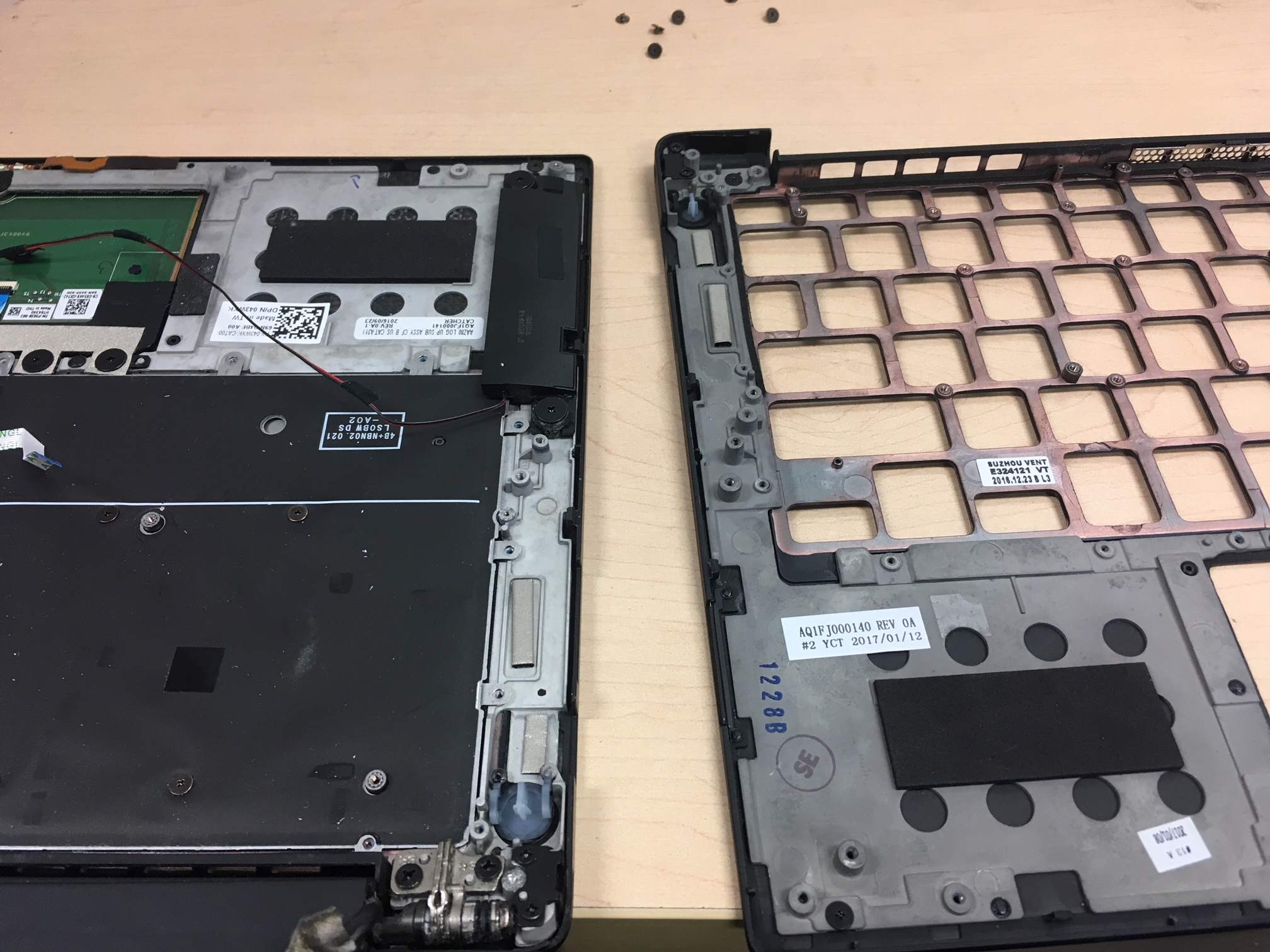
it makes it the most time intensive repair on this laptop because palmrest holds everything in it- keyboard, trackpad, speakers, and other little cables that need to be transferred. this design is obviously copied from apple macbooks. unfortunately not quite as well with the choice of material the palmrest is made out of. this version of aluminum looks sturdy, yet pretty fragile and snaps off easily.im not sure why these Dell xps 13 Hinges break off so often, maybe because of user error. but that many people couldn’t break them in similar fashion, so i suspect its a design flaw.

either way Dell xps 13 Hinges Repair takes about 2-3 hours to complete, so no big deal you can go grab some lunch and run some errands and come back to a new looking laptop!

if you’re looking for reliable, quickest mac repair or pc repair service in thousand oaks area call us at 805-585-5535 or stop by at 3339 Kimber dr. Suite D, Newbury Park, Ca 91320 www.fastestmacpcrepair.com check out our reviews on yelp https://www.yelp.com/biz/fastest-mac-repair-and-pc-repair-newbury-park-thousand-oaks

dell repair thousand oaks, dell repair newbury park, dell repair camarillo, dell repair malibu, dell repair westlake village, dell repair malibu, dell repair 91320, dell repair 93010, dell repair 93011, dell repair 93012, dell repair 93020, dell repair agoura hills,

our twitter page: https://twitter.com/fastestmacandpc
our google plus page: https://plus.google.com/u/0/116938480522490170066
give us likes on our facebook: https://www.facebook.com/fastestmacpcrepairnewburypark/
https://www.tumblr.com/dashboard
Install windows on Imac 27 inch

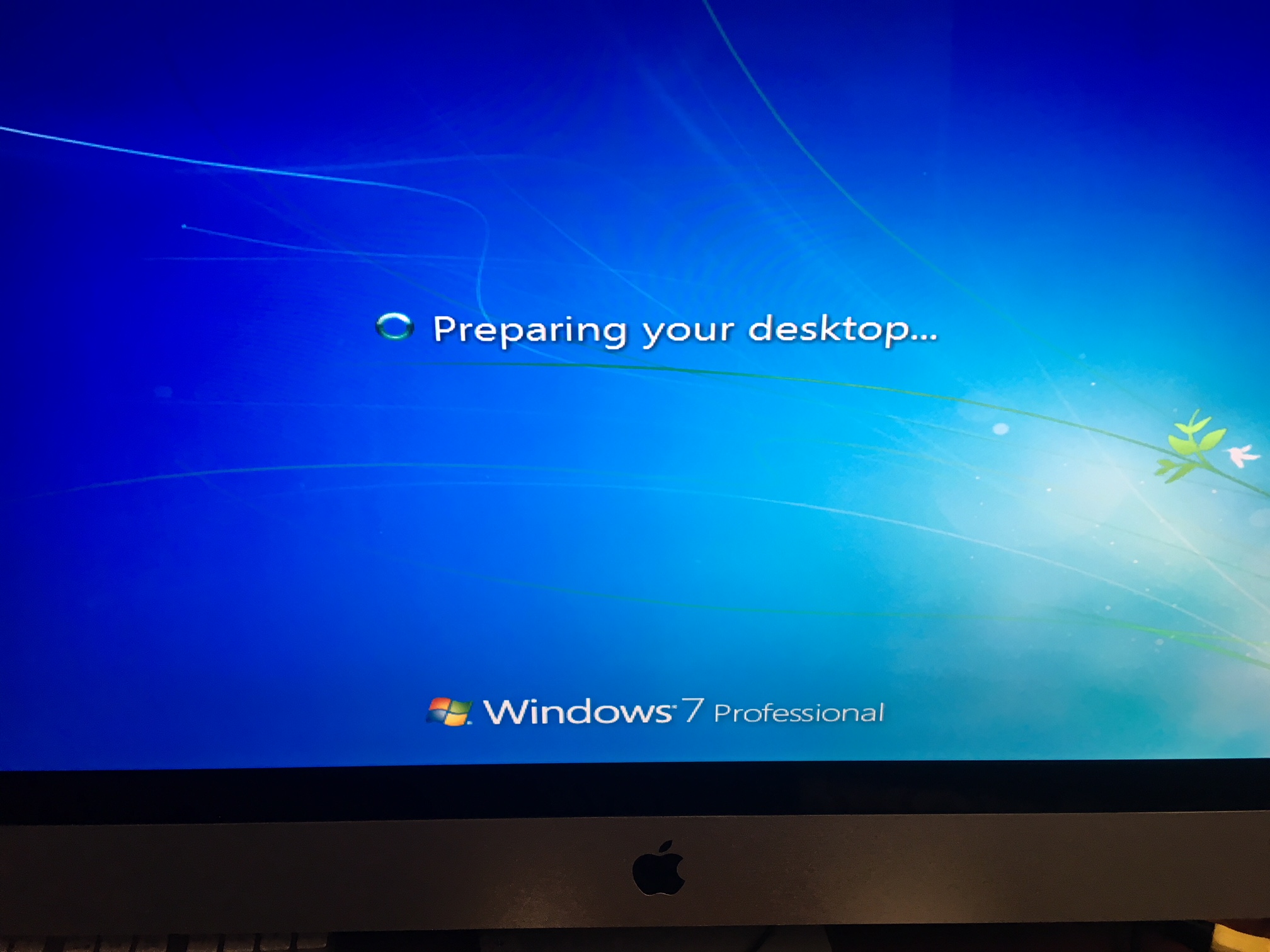
install windows on imac is usually a  simple thing if you know how to follow directions.

in a perfect world! what directions don’t tell you many times – is what to do when one step does not work as expected. and you can not proceed to next step! which is usually the case with all apple products and their use! they are advertised and seem to be very flawless, until of course you run into some trouble! then you have to go scout the forums or call all your friends or finally go find a computer person like us to help you!install windows on imac

this is what happened  to this 27 inch imac. the owner wanted to install windows on imac. and she did it pretty much ok except of  one thing. she installed wrong windows! the reason being is that older imac do not support windows 10. and bootcamp notifies you of that when you attempt to, however in her case it did not and she was able to install it! soon after that however it was clear that something was not running right. and that issue was the drivers. the drivers for winodws 10 on 2011 imac are not even available. so computer was restarting and doing all kinds of strange behaviors.!

so she brought it to experts! but for us also it was a little tricky at first, because imac would not boot properly from windows 7 installation. it would freeze and stop in the middle of installation, etc. i had to go back to bootcamp and restore original partition, create a new one and follow steps from beginning and even then imac was confused prompting me i can not install windows 10 on this imac, when i was using windows 7 disk!

anyhow it all worked out well at the end! install windows on imac 27 inch was successful. everyone is happy!

if you’re looking for reliable, quickest mac repair or pc repair service in thousand oaks area call us at 805-585-5535 or stop by at 3339 Kimber dr. Suite D, Newbury Park, Ca 91320 www.fastestmacpcrepair.com check out our reviews on yelp https://www.yelp.com/biz/fastest-mac-repair-and-pc-repair-newbury-park-thousand-oaks

imac repair thousand oaks, imac repair newbury park, imac repair camarillo, imac repair malibu, imac

repair westlake village, imac repair 91320, imac repair 93010, imac repair 93011, imac repair 93012,

imac repair moorpark, imac repair 93020, imac repair simi valley, imac repair agoura hills

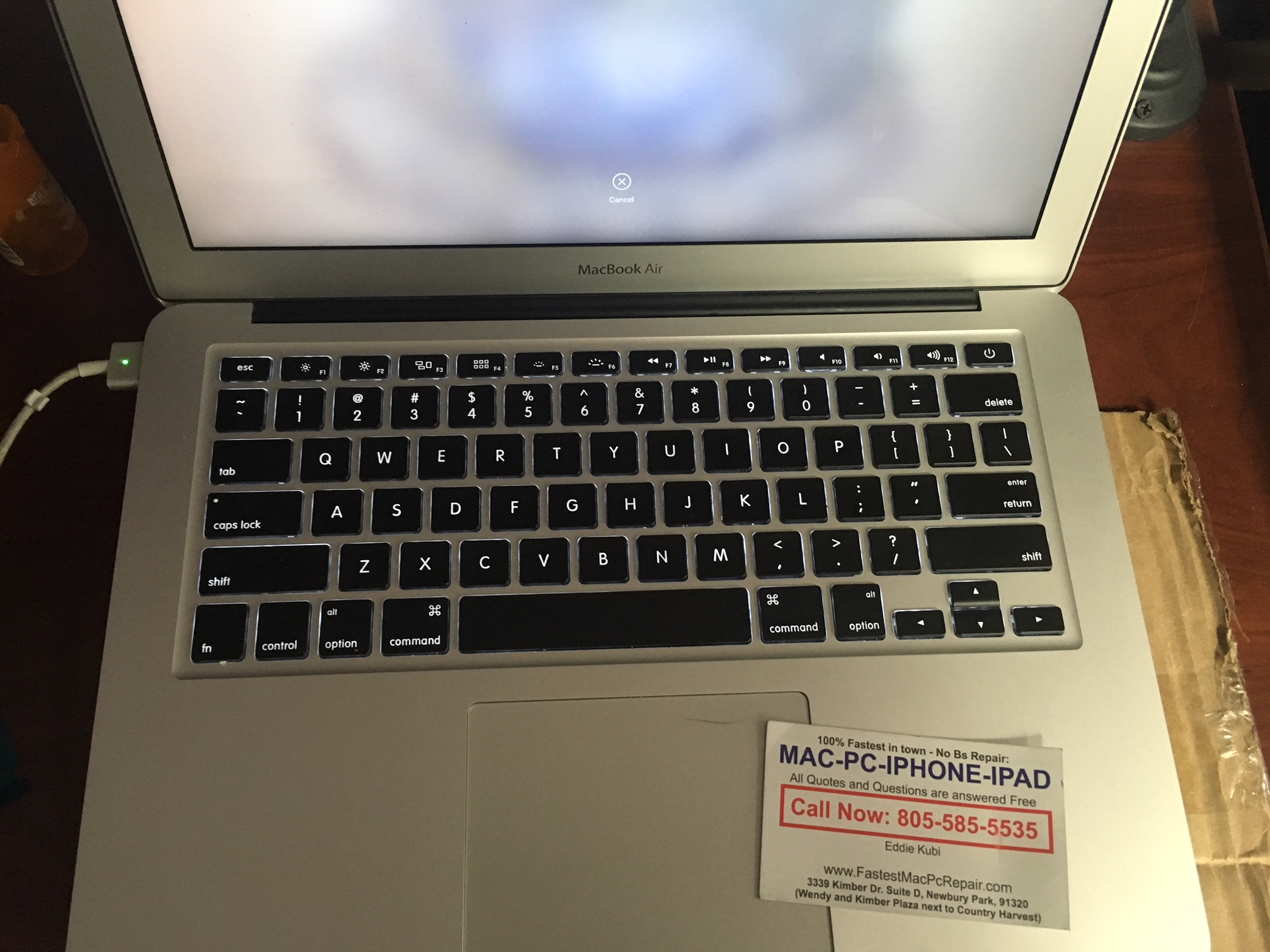
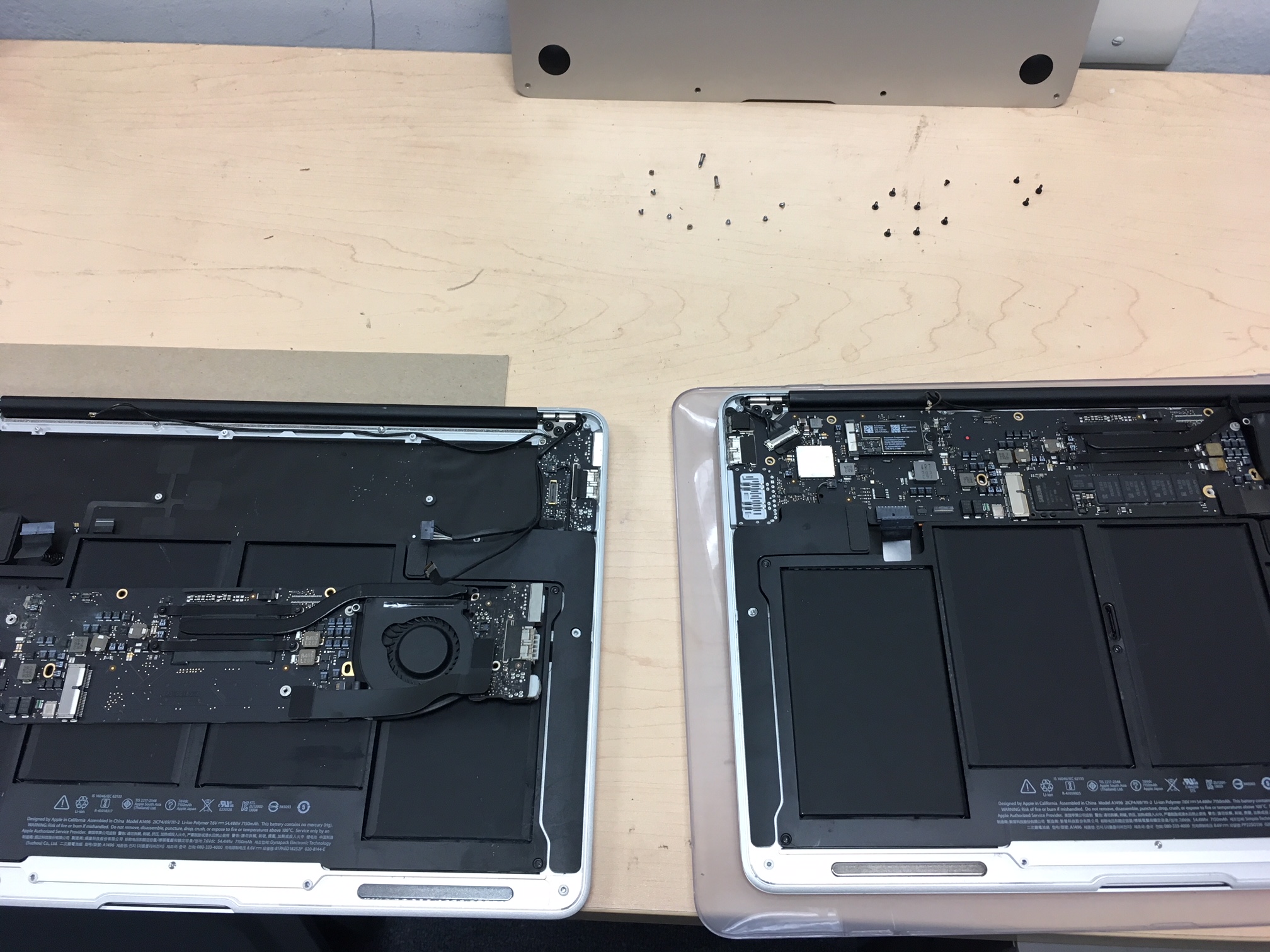
Macbook air water damage repair in Agoura hills 2 of them

Macbook air water damage repair agoura hillsMacbook air water damage repair in Agoura hills 2 of them

these two macbook airs came in from same person! they both had fluids spilled and both were not turning on. imagine your kid spilling water not on one but two macbook airs almost in the matter of days! pretty scary situation!

even though the source of damage was the same -fluid, the results were not. one macbook air water damage repair was simpler than the other. first one still had charging light coming on. which always means there is better chance of survival and it did. upon opening macbook air and inspecting internal components it was clear there was water damage, however it was not so bad looking. therefore we proceeded to clean up the logic board by removing all visible and invisible corrosion from it. then we let it sit and dry for a little while and when it was visibly dry the board was reassembled into computer case and we tried to turn it on! and bam! it was working like before (or even better) 🙂

second macbook air water damage was not so lucky. the charger light was no longer coming on. also water spill was much larger and the simple clean up did not help to revive it. upon testing couple of components it was clear there was circuit damage on the logic board. therefore this macbook air water damage will need a more extensive repair, which takes a little longer. but most likely will be fixed too! usually it takes 3-4 days with us!

now if you are going to learn anything from this check this out! as i was explaining this to the customer. the fluids do not damage computers. you can put logic board in water and hold it there for an hour and take it out, let it dry and it will work as it did before. so do other components. i used to have a customer who used to wash her keyboard, cause she thought they were disgusting in dish washer! she would let them dry out and they would be working perfectly. so its not the water that kills them. it’s electricity mixed with water.

when water gets onto computer and computer is still being fed electricity (usually from battery) that is when wrong contacts are being made on the logic board or other components. its like when you have two prongs in electrical outlet on your wall and separately they just sit there and nothing happens. but try to put ends of a wire into both of them and see what happens. you will see sparks flying and something melting fast! its because they are not supposed to touch together. yet water does that when it gets on board.

so the best thing you can do in situation that has fluid spilled on their macbook or laptop is not only to flip machine over so the water runs out. but you have to disconnect battery immediately! of course apple doesnt make it easy to do! but if you discount that part and have proper screwdriver you can do it! and do it right away! then you will save your computer!

Macbook air water damage repair in Agoura hills

if you’re looking for reliable, quickest mac repair or pc repair service in thousand oaks area call us at 805-585-5535 or stop by at 3339 Kimber dr. Suite D, Newbury Park, Ca 91320 www.fastestmacpcrepair.com check out our reviews on yelp https://www.yelp.com/biz/fastest-mac-repair-and-pc-repair-newbury-park-thousand-oaks

macbook air repair thousand oaks, macbook air repair newbury park, macbook air repair camarillo, macbook air repair malibu, macbook air repair westlake village, macbook air repair malibu, macbook air repair 91320, macbook air repair 93010, macbook air repair 93011, macbook air repair 93012, macbook air repair 93020, macbook air repair agoura hills,

imac video card replacement

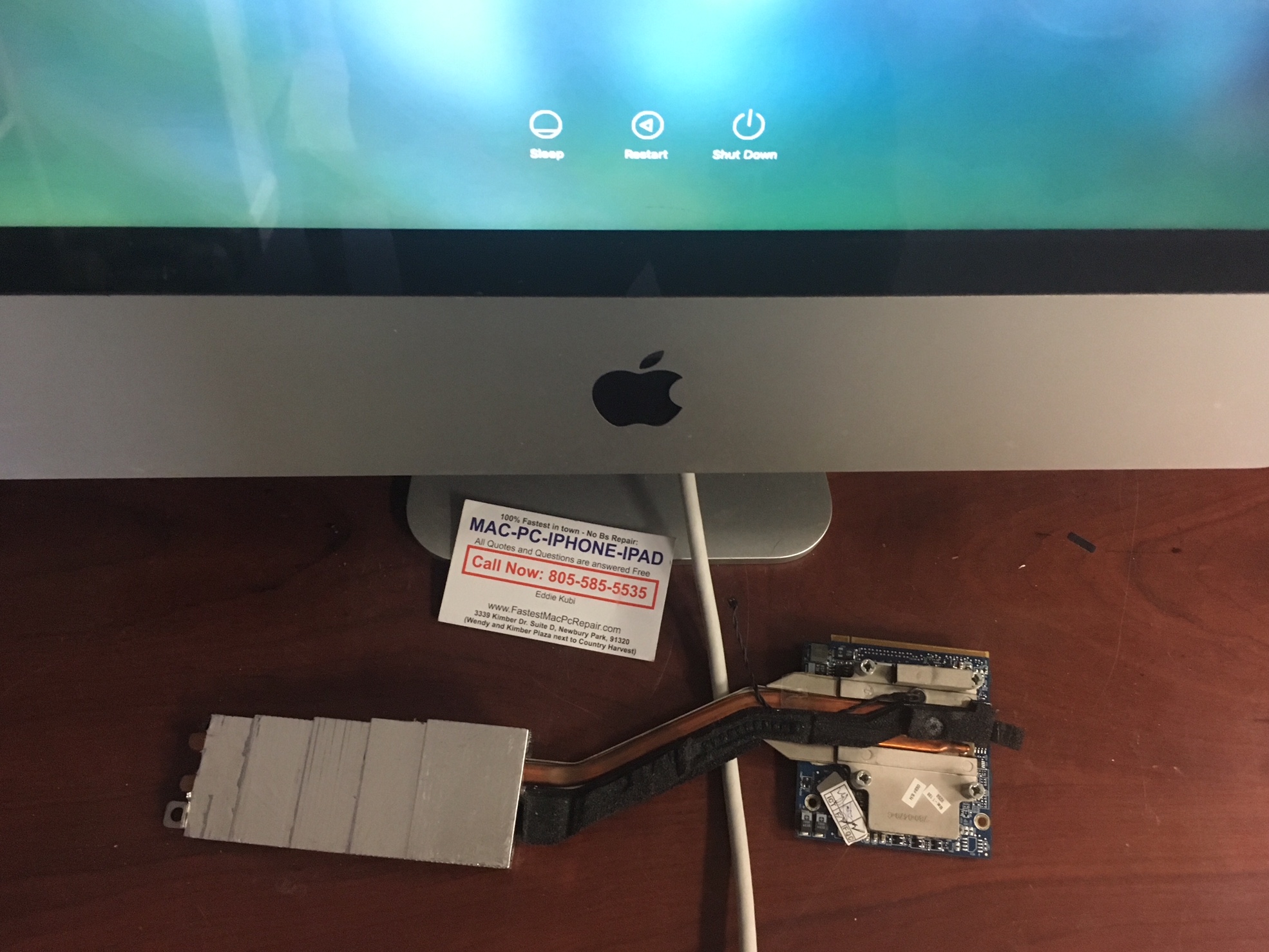
imac video card replacement

is a very common repair on imacs before 2013. graphics chips used to fail quite often on macbooks, imacs as well as pc, mac minis and all other devices. there are couple reasons for it. some graphic chips were defective, some were good but perhaps were not installed properly, some overheated and their life expectancy has shortened, some just died prematurely.imac video card replacement

graphics chip overheating definitely contributes to failure and apple of course is a little responsible for it as well! first of all apple markets their devices as invincible and all super powerful designed for high end graphics processing used by creative people in all kinds of industries. now in reality, macbooks are really not designed for that at all. they might have powerful hardware and some do, but they dont have proper ventilation whatsoever. imacs are a little better but just as bad. they are all in one computers and they dont really have proper ventilation either, which is necessary for any graphics chip that will be overloaded to max capacity to process data, which makes it heat up to the max. as result they will have shorter life span and will fail and imac video card replacement will be needed.

another thing that apple is doing to their macbooks and imacs and their customer that not a lot of people know. is that they use cheap thermal paste to create heat continuity from the chip to the heat sink. the cheap thermal paste is not so good after all and it prevents heat sink and fan from doing its job properly also. if better paste applied some people recorded temperature drops at around 15 degrees lower than with bad paste that apple uses.

knowing apple, this maybe intentional. cs if your imac video card fails and you need imac video card replacement they will quote you a price that is not cheap and you will start thinking about buying a new imac. And their sales people will also steer you in that same direction. anyhow. who knows whats going on there. im just giving you direct info from whats going on in mac repair world!

anyhow, this 20 inch imac was not booting up. and after few tests and other component tests we quickly determined it was graphics chip failure. since this was an older imac it was actually cheaper to replace video card with new video card and problem was solved. if you have 2011 or 2012 imac 27 inch it is usuallly cheaper to get graphics chip replaced!

call us if your imac doesn’t boot, or you see colored lines on screen, or pixelation or imac doesnt even start. they are all indicative of video chip failure and they need imac video card replacement or repair.

________________________________________

if you’re looking for reliable, quickest mac repair or pc repair service in thousand oaks area call

us at 805-585-5535 or stop by at 3339 Kimber dr. Suite D, Newbury Park, Ca 91320

www.fastestmacpcrepair.com check out our reviews on yelp https://www.yelp.com/biz/fastest-mac-

repair-and-pc-repair-newbury-park-thousand-oaks

imac repair thousand oaks, imac repair newbury park, imac repair camarillo, imac repair malibu, imac

repair westlake village, imac repair 91320, imac repair 93010, imac repair 93011, imac repair 93012,

imac repair moorpark, imac repair 93020, imac repair simi valley

our twitter page: https://twitter.com/fastestmacandpc
our google plus page: https://plus.google.com/u/0/116938480522490170066
give us likes on our facebook: https://www.facebook.com/fastestmacpcrepairnewburypark/


macbook pro water damage repair

macbook pro water damage repair

macbook pro water damage repair

when compared side by side in the times of busy-ness. People who own macbooks (apple products) the “creative” types. they tend to be more clumsy with their devices for some reason! it’s almost as if the pc people are really sitting properly in their cubicles, back straight, not moving around for 8 hours other than to go to kitchen take a coffee or water break! just like steve jobs predicted in his 1984 commercial! lol

the ratio of macbook pro water damage repair to pc repairs is staggering in apples favor! but im not here to judge! to us its a great thing! we get more work this way!

now a little tip of how to handle macbook pro water damage. first thing you want to do right away if you spill water or fluids on your macbook is to disconnect the battery (and charger). the reason being is that water or fluids alone are not going to damage the logic board. in fact logic boards are washed in fluids usually water to get the corrosion off. what kills macbook logic boards is electricity. water makes connections in wrong places and that creates a short. so many water damages can be prevented if one could disconnect the battery quickly! however that is not always possible! because on macbooks battery is inside of the computer. and to open it you nowadays need a special tool with pentalobe tip. which no one usually has (im guessing apple did it on purpose!).

so next best thing if you spill water or fluids on your macbook. first thing is at least unplug it and then turn it upside down or whichever way so the water comes out where it came in. and rush to the nearest mac repair place to have it opened and disconnect battery then you can possibly save the logic board and you wont need macbook pro water damage repair at all!

however if its too late and you let computer dry out and its not turning on. we can fix your macbook logic board 95% of the time! its cheaper than buying a new logic board or new computer! cheers!

if you’re looking for reliable, quickest mac repair or pc repair service in thousand oaks area call

us at 805-585-5535 or stop by at 3339 Kimber dr. Suite D, Newbury Park, Ca 91320

www.fastestmacpcrepair.com check out our reviews on yelp https://www.yelp.com/biz/fastest-mac-

repair-and-pc-repair-newbury-park-thousand-oaks

macbook repair thousand oaks, macbook repair newbury park, macbook repair camarillo, macbook repair

malibu, macbook repair westlake village, macbook repair malibu, macbook repair 91320, macbook repair

93010, macbook repair 93011, macbook repair 93012, macbook repair 93020

our twitter page: https://twitter.com/fastestmacandpc
our google plus page: https://plus.google.com/u/0/116938480522490170066
give us likes on our facebook: https://www.facebook.com/fastestmacpcrepairnewburypark/

macbook pro keyboard replacement

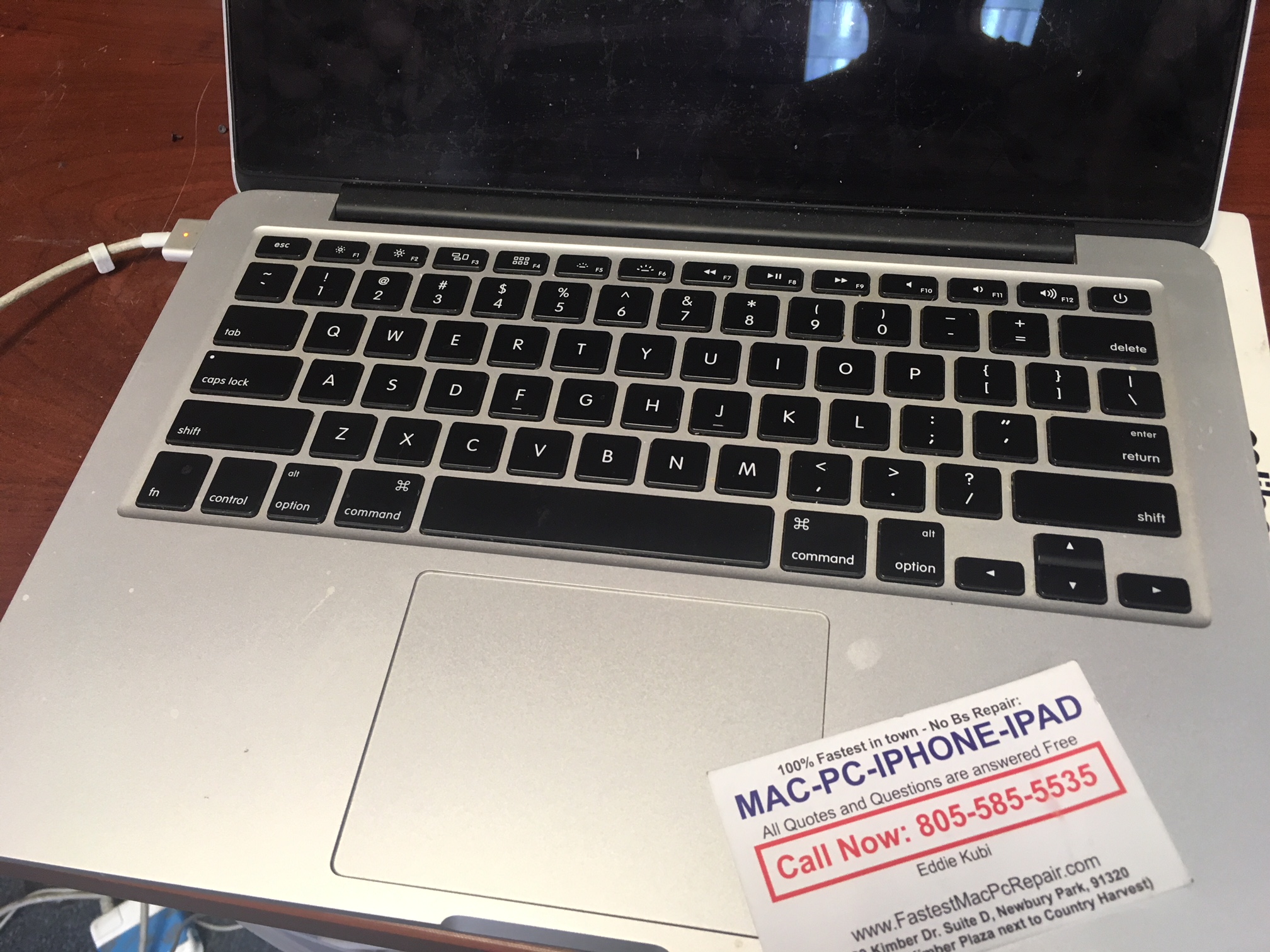
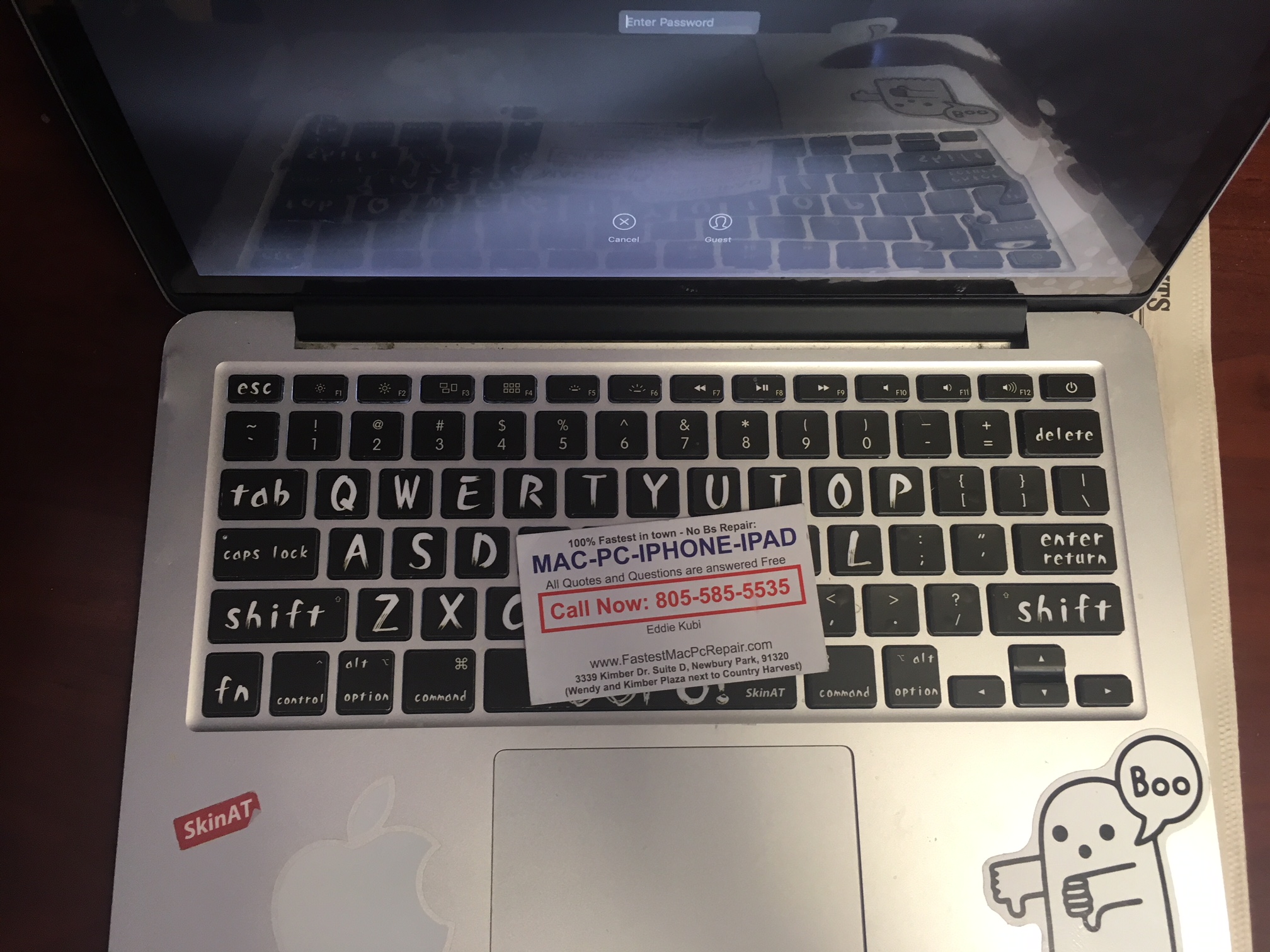
macbook pro keyboard replacement is one of most time consuming repair in the whole macbook repair industry. its not difficult, yet pretty time consuming, since macbooks are designed as whats called unibody style. that means macbook pro keyboard is on the bottom of the laptop. since the casing is reversed. if that makes sense. 🙂 everything has to come out in order to do macbook pro keyboard replacement. and that just takes time and patience on our part!

macbook pro keyboard replacement

why macbook pro keyboard replacement is necessary? usually its because some keys are not working or keys are sticky because of fluids spilled on keyboard. or in some cases keyboards stop working from age. in some cases cats or birds break the keys for their amusement reasons. and so on.

in some cases keyboards stop working because the connectors can become corroded and needs cleaned. but in most cases keyboards just go bad and some keys will stop working.

even though time consuming most keyboards can be replaced same day or next day guaranteed!

if you’re looking for reliable, quickest mac repair or pc repair service in thousand oaks area call

us at 805-585-5535 or stop by at 3339 Kimber dr. Suite D, Newbury Park, Ca 91320

www.fastestmacpcrepair.com check out our reviews on yelp https://www.yelp.com/biz/fastest-mac-

repair-and-pc-repair-newbury-park-thousand-oaks

macbook repair thousand oaks, macbook repair newbury park, macbook repair camarillo, macbook repair

malibu, macbook repair westlake village, macbook repair malibu, macbook repair 91320, macbook repair

93010, macbook repair 93011, macbook repair 93012, macbook repair 93020

macbook pro keyboard replacement a1278, macbook pro keyboard replacement a1286, macbook pro keyboard replacement a1398, macbook pro keyboard replacement a1502, macbook pro keyboard replacement retina, macbook pro keyboard replacement 1708

our twitter page: https://twitter.com/fastestmacandpc
our google plus page: https://plus.google.com/u/0/116938480522490170066
give us likes on our facebook: https://www.facebook.com/fastestmacpcrepairnewburypark/

a1502 macbook pro 2015 retina screen replacement

a1502 macbook pro 2015 retina screen replacement

everyone praises apple macbooks as if they are the best laptops on the planet! and in some ways they really are! they have hard aluminum shell casings, their screens are amazing, their keyboards are perfect (when they work) and there are many other features that macbooks share that are awesome! as well as the coolness factor, which comes with owning a macbook and sitting in starbucks with it!

a1502 macbook pro 2015 retina screen replacement

BUT just like everything else in life they are not invincible! if you want to break it, it will break! and for the most part, unless macbook is more than few years old. they usually work and run flawlessly! that is, unless humans decide to damage them. purposely or by accident! and main way that macbooks get damaged are two: people either spill some fluids on them or they let them drop from bed, counters, tables, backpacks (ive seen it all). and that causes all kinds of problems.

this is what happened to this a1502 macbook pro 2015 retina screen replacement machine. it was dropped and corner cracked which caused screen to start getting all kinds of lines. but luckily we are here and screen was changed 0vernight! and customer is very happy!

if you’re looking for reliable, quickest mac repair or pc repair service in thousand oaks area call us at 805-585-5535 or stop by at 3339 Kimber dr. Suite D, Newbury Park, Ca 91320 www.fastestmacpcrepair.com check out our reviews on yelp https://www.yelp.com/biz/fastest-mac-repair-and-pc-repair-newbury-park-thousand-oaks

macbook repair thousand oaks, macbook repair newbury park, macbook repair camarillo, macbook repair malibu, macbook repair westlake village

our twitter page: https://twitter.com/fastestmacandpc
our google plus page: https://plus.google.com/u/0/116938480522490170066
give us likes on our facebook: https://www.facebook.com/fastestmacpcrepairnewburypark/

Imac won’t boot hangs midway imac 21.5inch

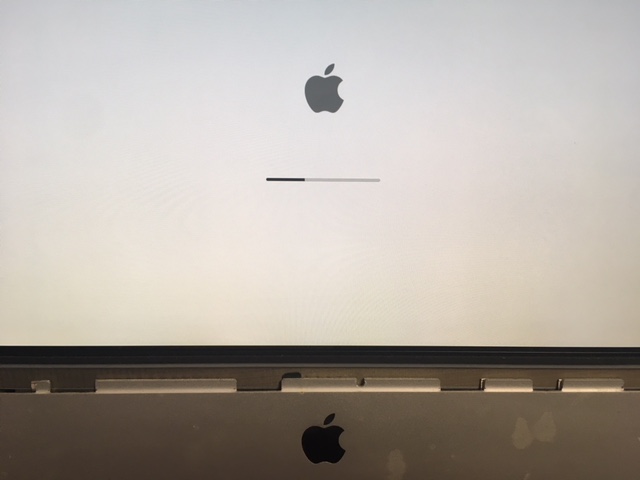
Imac won't boot hangs midwayImac won’t boot hangs midway 21.5inch

if you see this screen. on an 21.5 inch imac or for that matter on pretty much any imac. it may mean 2 different things usually.

first – the most obvious and most common issue that you might be facing is hard drive failure. all older and also newer imacs still use regular hard drives and regular hard drives tend to fail sooner or later. hard drive failure will prevent computer from booting like that also in many cases. so to find out if your hard drive is ok do this: turn imac off, then power it on and hold option key. that will take you to boot menu and from there you choose to boot into recovery partition.

if your recovery partition is not there. then you turn imac off and turn it back on while this time holding Command+R keys. this will take you to internet recovery option. this way is a little longer. but whichever way you choose the goal here is to go to disk utility and test the hard drive. run first aid and see what it says. so you can find out why your Imac won’t boot and hangs midway.

from there if you get a message in disk utility in red that says your hard drive needs to be repaired. its a good indication that imac hard drive is going bad and needs replaced (hopefully you have a backup!)

if the hard drive passes test and turns out ok however. and still you Imac won’t boot hangs midway. then the issue is different. and that brings us to our point number two!

Second reason why you may see above screen when Imac won’t boot hangs midway. is video chip failure.

it is also a common issue especially on 27 inch imac, but also happens on 21.5 inch imac as well as older 20 and 24 inch that many people still use! graphics chip failure is very common and can be fixed by replacing graphics chip or fixing existing one! and at fastest mac repair and pc repair newbury park we do both! and we do it the quickest and without any hassles to you!

so if you’re looking for reliable, quickest mac repair or pc repair service in thousand oaks area call us at 805-585-5535 or stop by at 3339 Kimber dr. Suite D, Newbury Park, Ca 91320 www.fastestmacpcrepair.com check out our reviews on yelp https://www.yelp.com/biz/fastest-mac-repair-and-pc-repair-newbury-park-thousand-oaks

imac repair thousand oaks, imac repair newbury park, imac repair camarillo, imac repair malibu, imac repair westlake village, imac repair 91320, imac repair 93010, imac repair 93011, imac repair 93012, imac repair moorpark, imac repair 93020


macbook air wifi no hardware detected a1466

macbook air wifi no hardware detected a1466

at first sight when this lady called us, it seemed that her wifi card was defective and she asked if we can replace it for her. because if you google this problem that is pretty much the answer you will find. so she was calling around people to ask how much would it cost to repair macbook air wifi no hardware detected a1466 by replacing the wifi card.

macbook air wifi no hardware detected a1466of course much to her surprise many people didn’t even have the replacement wifi card in stock. for few reasons. wifi cards rarely go out, if ever. therefore not a lot of people have them. but we did. we had 2 cards laying around and when she brought the her macbook air wifi no hardware detected a1466 in we replaced wifi card with two different cards, yet the problem was still the same.

the actual defect in macbook air wifi no hardware detected a1466 was logic board damage. the wifi ic was damaged and had to be replaced. it took 2 days to do the repair and now macbook air logic board recognized wifi cards again with no issues! wooohooo!

if you’re looking for reliable, quickest mac repair or pc repair service in thousand oaks area call us at 805-585-5535 or stop by at 3339 Kimber dr. Suite D, Newbury Park, Ca 91320 www.fastestmacpcrepair.com check out our reviews on yelp https://www.yelp.com/biz/fastest-mac-repair-and-pc-repair-newbury-park-thousand-oaks

mac repair thousand oaks, mac repair newbury park, mac repair camarillo, mac repair malibu, mac repair westlake village


pc Computer running slow? its your own fault!

is your pc computer running slow? that is not so uncommon nowadays. and most of the time there is one reason for it. i have been seeing same thing over and over again on many computers. many computer techs dont even know what that is and their solution to the problem is to re-install windows 10. however that is (almost never) necessary!

the reason computers run slow today(with all those super processors and maximum memory that you got!) is because of ADWARE. adware is what is referred to PUP’s or potentially unwanted software! those are the programs that are not malicious. that means they don’t do any harm to your computer or your software, however they are like trash laying around your house. you can step over it and let it lay there, but at the end of the day your living room is full of trash and it lays there and makes things unpleasant.

adware also maybe tracks your online behavior, but in most cases it just pops up and offers you to buy something or it pretends it scans your computer for errors and usually finds errors and encourages you to buy full version or program so it can fix those imaginary errors!

so how does it get on your computer everyone is asking me and how to protect yourself from it? so your “pc computer running slow” thing doesnt happen.

the answer is simple. YOU – yes you! a user. have to stop putting it on your computer. like i said above. adware is not a virus. it doesnt install itself onto your computer. it is usually the people who install it themselves and then wonder why things are slow! so yes you are your biggest enemy!

so what to do?! well first if you already have adware you have to get rid of it! you can use malwarebytes program its free. but it doesnt always clean everything out. some things have to be removed manually too! so best thing is to call fastest mac repair and pc repair newbury park and we will do it for you! call 805-585-5535

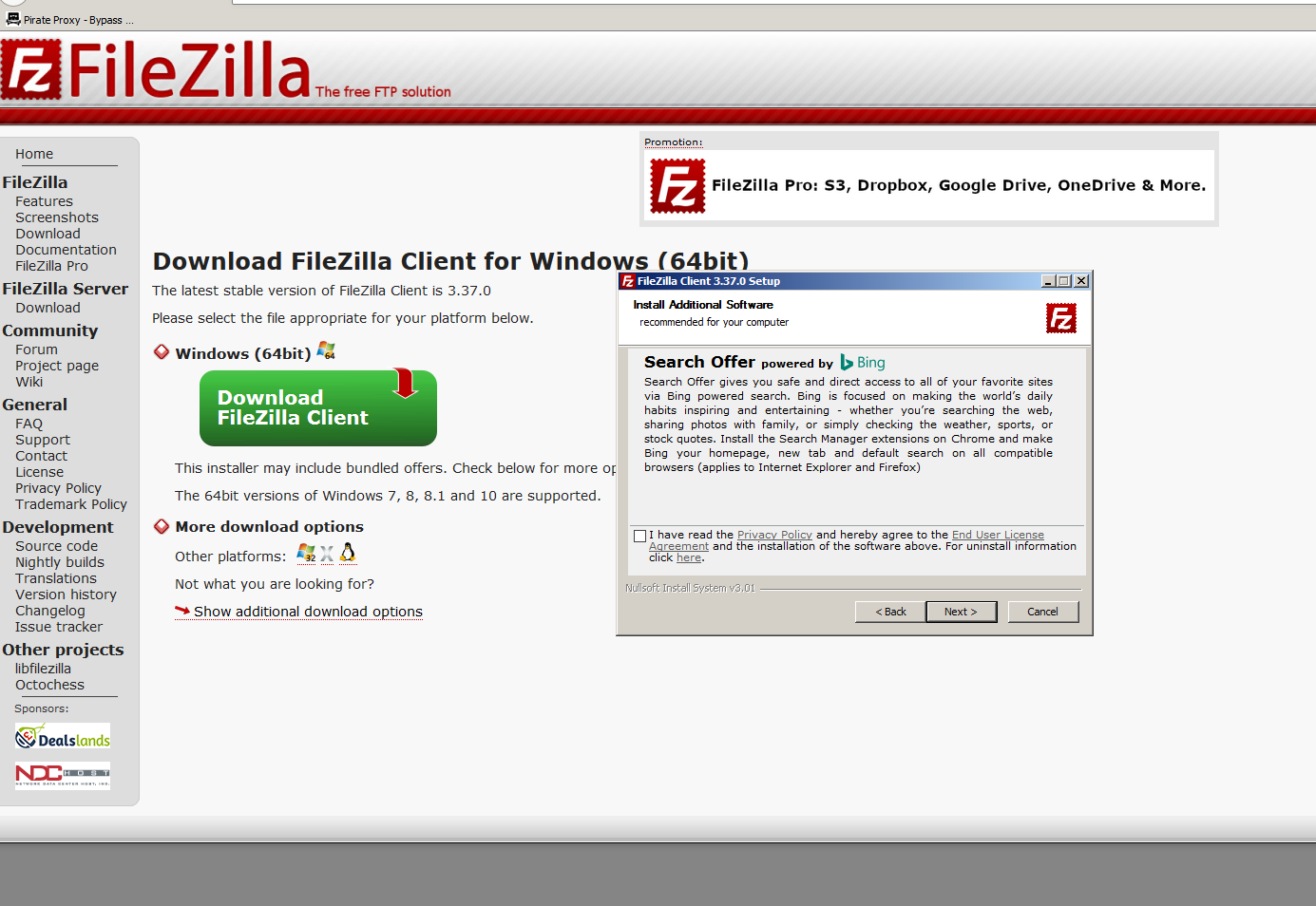
in terms of prevention. most adware comes when you install new programs. here is an image of when i was installing file zilla. during installation there were two windows where i had to uncheck the box asking me if i want to install additional software.

pc computer running slow
it literally asks you if you want to install it! and you have to  say NO!

but what do most people do? they just click click click next and they dont read anything! then you have a computer full of who knows what! 🙂

if you’re looking for reliable, quickest mac repair or pc repair service in thousand oaks area call us at 805-585-5535 or stop by at 3339 Kimber dr. Suite D, Newbury Park, Ca 91320 www.fastestmacpcrepair.com check out our reviews on yelp https://www.yelp.com/biz/fastest-mac-repair-and-pc-repair-newbury-park-thousand-oaks

pc repair thousand oaks, pc repair newbury park, pc repair camarillo, pc repair malibu