The Dangers of Mobile Computer Repair in Thousand Oaks

Mobile computer repair is heavily advertised in Thousand Oaks area. It is a type of computer repair(mac repair and PC repair) where some person shows up at your house. Then they proceed to fix it, at your house or they want to pick it up and leave with it. Until they fix it and then bring it back.

In this post i want to address some pros and cons of hiring someone like that to do the work for you.

The Pros of mobile computer repair:

  1. Mobile computer repair is convenient. It literally is what says that it is. A mobile computer repair. where a computer repair tech just shows up at your house and fixes what needs to be fixed and leaves. You don’t have to leave your house. You don’t have to drag your mac or pc anywhere.
  2. Lower service fees (Supposedly) because mobile computer techs don’t have the overhead to pay for a physical computer repair store. HOWEVER lower costs is not always the case with mobile computer repair. many times costs are the same or even higher.

The Cons of mobile computer repair:

  1. Easy way to evade liability. Mobile computer repair technicians obviously do mac or pc repairs this way. because they don’t want to pay for brick and mortar store or office(physical computer repair location) in order to save money. But when they don’t have a physical location. That means they are just working out of their house behind the P.O. Box or some virtual (non existent) office location. And they have no lease or any other license with California bureau of household goods and services. which means if something goes wrong with your repair. You will have trouble finding the technician. and have little recourse if they decide to run away with your computer and change their phone number. You will not be able to find them and have little ability to have recourse. In other words if everything goes well, then things might be ok. but if it’s not. You will be left abandoned.
  2. Redundancy. People who do mobile computer repair. are no different from people who do computer repair (whether mac repair or pc repair) who have an actual storefront location. Computer Repair techs with a physical location also do mobile computer repair. It’s part of our services. We also come out to people’s homes and offer home or mobile repair service.
  3. Higher service costs. While the general belief is that since mobile computer repair techs have no overhead, hence they save money and can charge lower fees. that is not always the case. because the amount of time they spend driving back and forth in traffic, then spending money on gas, which is not cheap nowadays. and then having to make multiple visits to your house if there are any additional issues. Actually defeats the purpose of having no overhead by owning an actual legitimate business location that customers can visit in person. By having to drive so much and be frustrated in sitting in traffic. They grow to be resentful and start charging higher fees as a way to reimburse themselves for driving like a maniac back and forth all day from one house to the other.
  4. Lack of Credibility. When someone doesn’t have a storefront or a physical location. They obviously have the ability to be elusive as compared to the computer techs who have an actual computer shop. They don’t have to be committed to the business. they don’t have to take the calls, they don’t have to keep their doors open. They can just be there one day and be gone the other. and they often do. other than their computer repair yelp page reviews they have nothing to show for. and then they sell their yelp page to someone else and you don’t even know that the person who might have received good reviews is not the same person coming to you to fix your computer at your house.

Conclusion

As you can see. There is really no real difference to you as a customer of hiring a strictly a mobile repair tech. because like it was mentioned, computer repair techs who have actual storefront offer the same service and often also cheaper. Because we have store fronts, we actually have more business coming in. since we are perceived as more trustworthy by the consumers. Hence we can charge less, despite the common believe that mobile repair guys have no overhead… their time driving back and forth is their overhead.

Time is the most expensive thing we have. that we can’t bring back. I can fix more computers at my store, vs driving back and forth for 2 hours to go to someones house to fix one computer. plus to spend time sitting at their house. when at the store, i can work on 3-4 computers at the same time and get them all ready in few hours. which means, I make more money in less time and don’t have to fighting traffic and can have lower prices.

In many cases I even go pick the computers up from the customers home and don’t even charge them additionally for that service.

Plus with mobile computer repair, the risk is all yours. You have some person come to your house, who has not established themselves as a legitimate business. You trust them and that is OK. But if something goes wrong you will learn the lesson the hard way. Because you will not be able to find them, since most of the mobile repair techs have virtual office addresses or post office box addresses for their yelp or google maps listings. Otherwise it is not easy to find them.

Fastest Mac Repair and Pc Repair Newbury Park has been at the same location now over 7 years(since 2018). We have a track record, highest expertise, highest COMMON SENSE, flexibility, highest ratings, best customer service and quickest turnaround in Thousand Oaks area.

We also provide mobile mac repair and mobile pc repair. We service Camarillo, Malibu, Thousand Oaks, Moorpark, Simi Valley, Westlage Village, Calabasas and other areas.

Call us at 805-585-5535 or visit us at 3339 Kimber Dr. STE D, Newbury Park, CA 91320

Why to never go to Apple/Genius Bar for your Macbook repairs (reason #543)

Many people are so enamored with Apple’s advertising that they overlook the fact that Apple doesn’t have their best interest at heart, when it comes to Macbook repairs or servicing the products they sell you.

It has been documented EVERYWHERE, a million times, by a million different people. The cases of real life examples on how Apple/Genius Bar straight out lie, deceive, and mislead people because they don’t want to service their own products. But instead will do anything possible to convince you to buy one of their newest products!

The famous Apple Repair Tech – Louis Rossman, has countless videos on youtube, where he exposes Apple’s practices and has even taken them to court over the Right to Repair legislation. Many of these types of videos were also produced by CBS and other reporting organizations.

As Macbook repairs professionals we have seen it countless times and we always wonder why people still continue to buy their devices. When apple clearly treats their customers like cash cows and only want them ALWAYS to buy their new products.

I used to tell people that Apple will only willingly repair your device if it is covered by the Apple’s Applecare warranty program. But i have to start taking that back too. In this post, I will attempt to demonstrate why.

Last week, I had a customer come in because the screen on their Macbook Pro was damaged. Before coming in, they have told me over the phone, that they have taken it to Apple/Genius Bar and were told that the whole computer will have to be replaced because according to them, it was damaged with liquid.

So we told the person to bring it in for a quick diagnostic. We wanted to make sure the Macbook is working well before we change the screen on it.

When the person came in, they brought a receipt issued by AppleCare Service team. It looks like this:

What Apple/Genius Bar did here was weasel out of a warranty repair because their technicians have determined the Macbook liquid damage has occurred.

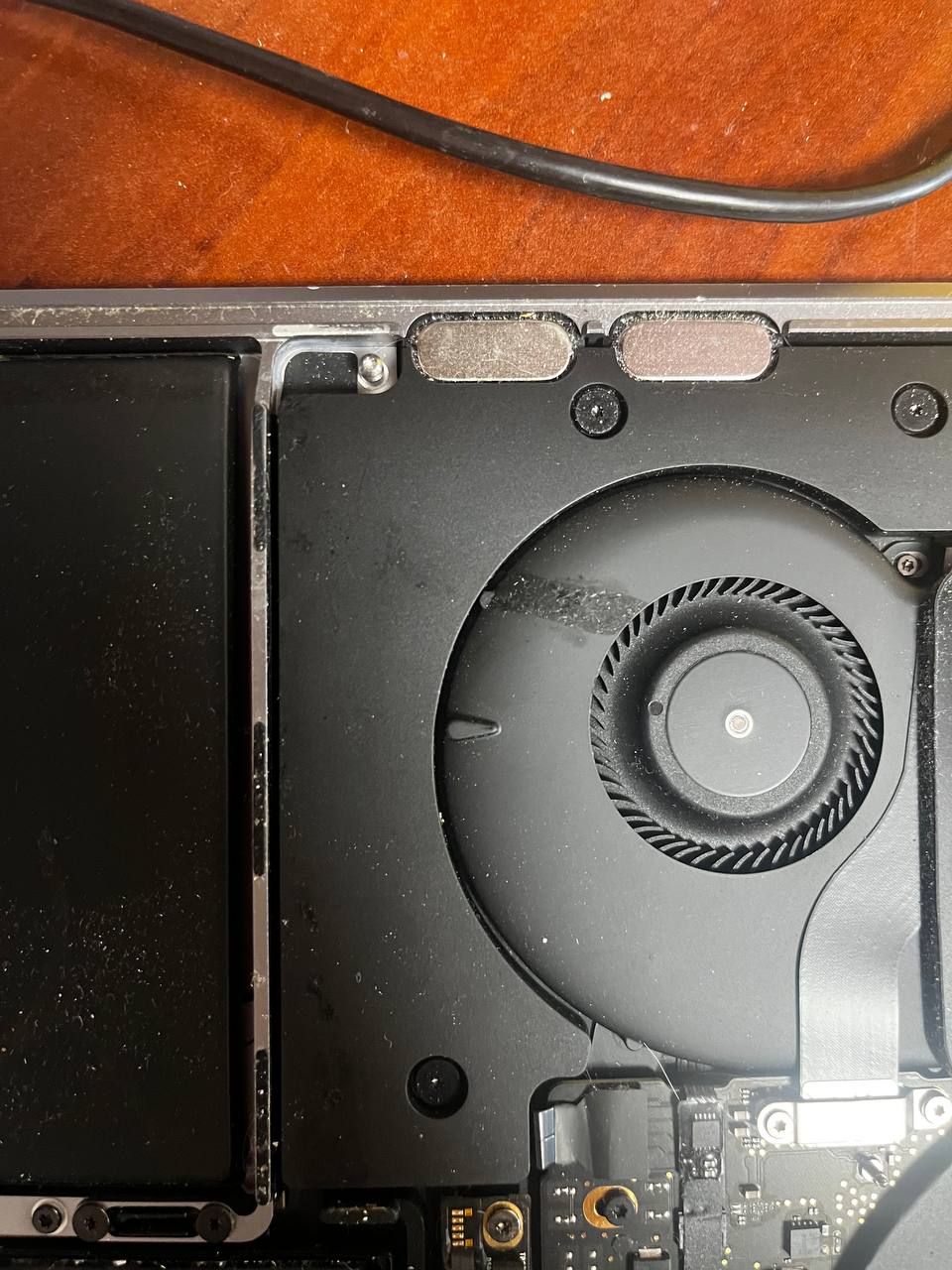
Now take a look at the actual “liquid damage”:

macbook repairs liquid damage on fan

The spot that you see on the fan, is what they called liquid damage that excluded this machine from a warranty repair.

A couple of things need to be said here. first, this isn’t any kind of damage. This is just a spot of some kind of liquid that possibly went it via the back vent of the bottom cover and has only touched a fan. But we don’t really know that for sure. Because it could have been there from the beginning. How could we know… there were no marks of any liquid on the bottom cover itself. Therefore it is hard to say where this spot even came from.

The only fact here remains, is that this “liquid damage” had ZERO effect on the Macbook’s performance whatsoever. Was it liquid? Yes probably. Was it a damage? Absolutely not. All it needed was to be wiped off, just like you wipe a spot that fell onto your table. It does not affect anything at all.

Instead of cleaning it off, Apple decided to send the Macbook to another state and then treat it as a way to get out of their warranty repair and leave the customer disappointed. Like they do to many others on daily basis!

We wiped the stain off the fan, installed a new screen and the Macbook was working flawlessly.

It is really their policy to try to weasel out of as many repairs as possible. By finding slightest reasons, or making up reasons( which happens a lot too). So they don’t have to repair your device and just offer you to buy a new one. Don’t tell me I didn’t warn you.

For fastest and HONEST Macbook repairs call us at 805-585-5535.

Dell Laptop Screen Repair

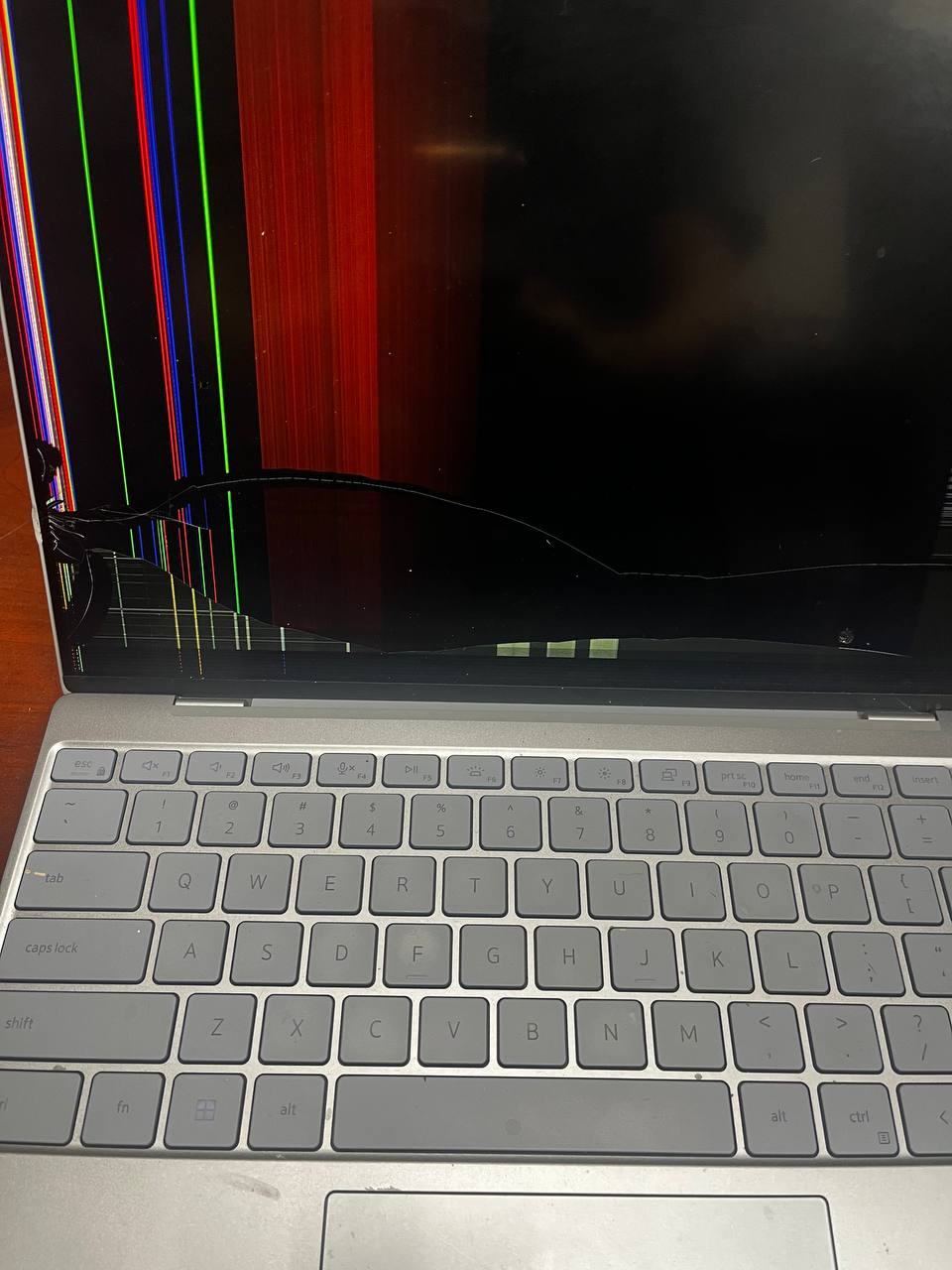
This Dell laptop came in because it has a damaged screen. You can see it visibly in the image below. When you crack a laptop screen it usually gets colored lines, but often the screen can just remain dark and you won’t be able to see anything on it at all.

Over the years, laptop screen repair has gone from simple and easy to more complicated. Mainly because laptops getting more fancy. Laptops have become thinner, they have touch capabilities, some of them have screens that flip around to turn the laptop into a tablet, etc… That added difficulties for repair people like us if the laptop screen was damaged in some way. And it added additional costs to the customer because now the screen repairs have gotten more expensive.

laptop screen repair

Some of the PC laptops still have screens that are pretty easy to replace. But most are not. Most, have gotten to the point where you have to replace the whole screen assembly. This means the whole top part of the laptop has to be replaced. Because laptops have gotten so thin, taking the screen apart is no longer an option.

This is exactly what happened with this Dell Laptop Screen Repair. The model of this laptop is Dell XPS 13 9315. It is a cute little laptop. But taking the screen apart on it would be pretty difficult under normal repair circumstances. We certainly wouldn’t even attempt to do so. Therefore the only Dell screen repair in this case is to order the whole screen assembly and to replace the top portion of the laptop with the new part.

It is an easy job for us. But it becomes an expensive repair for the customer. Apple MacBook computers have been like that for several years now. So other computer manufacturers started following their lead now as well.

if you have laptop screen repair issues call us at 805-585-5535, and we will help you. And we will do it the fastest. we don’t sleep around here.

iMac Screen Replacement

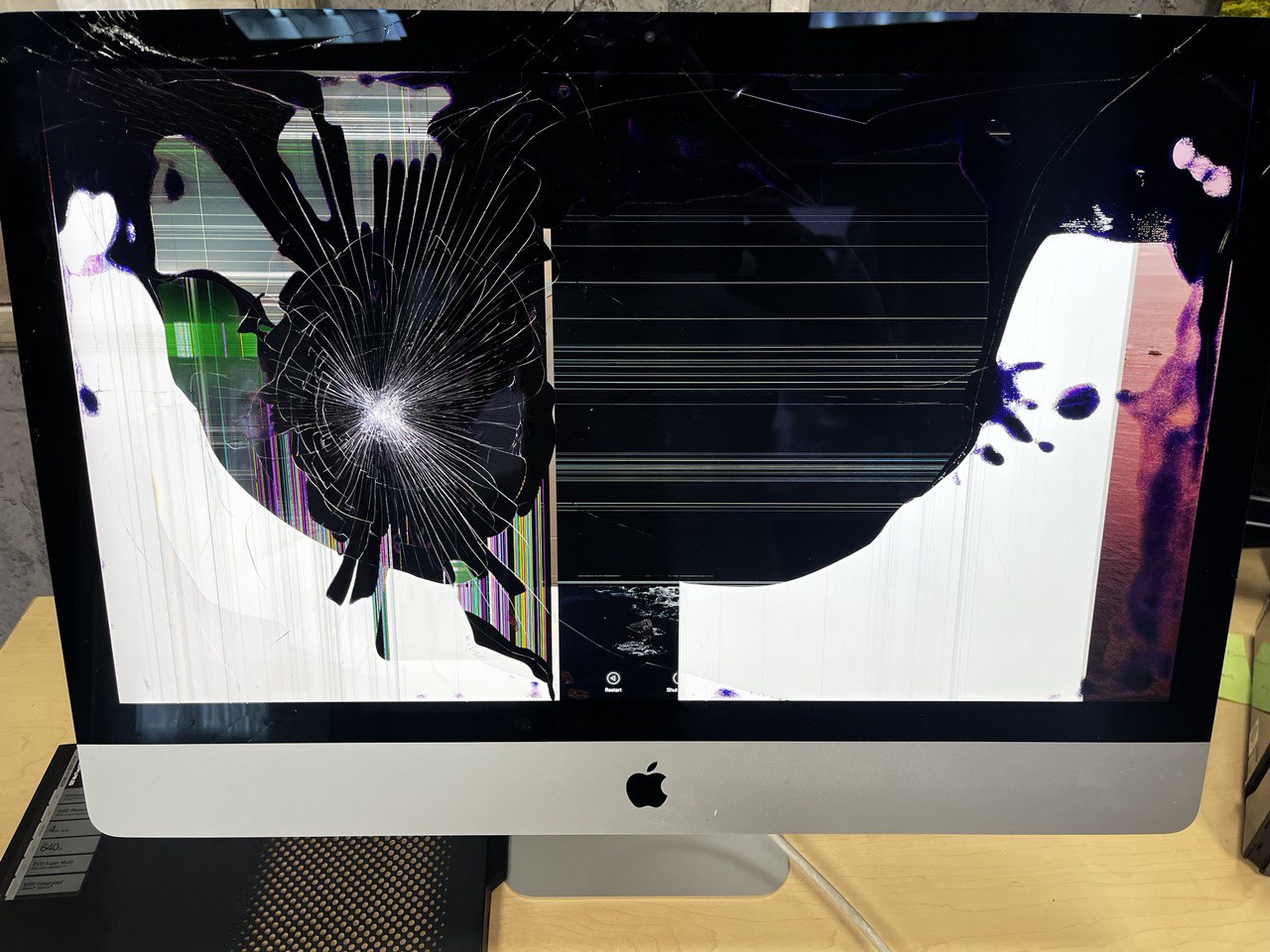
This iMac came in after it was shipped from another state with a carrier service. I wont tell you which carrier, but it starts with a U and ends with a S. And its wasn’t USPS! 😉

Despite the fact that the customer has packaged it in its original box that came from Apple. The carrier still managed to somehow damage the screen on it.

Apple packaging comes with thick foam protectors that really protect everything. Yet somehow the packaging was still pierced and ended up cracking the screen. You can see the impact spot very clearly in the photo below.

Long story short, carriers insurance only covered the damage up to a $100. So the customer had to pay for the repair out of pocket. But the good news is. This iMac screen replacement took 3 days only. Three days to receive the new part. And one hour to replace the damaged screen with the new one.

The iMac had no further damages and is working flawlessly.

If you need to repair your iMac quickly, look no further. We are the fastest iMac and Macbook repair in the area guaranteed.

call us at 805-585-5535 for a free quote over the phone or stop by at 3339 Kimber Dr. STE D, Newbury Park, CA 91320
Water Damage Computer Repair Thousand Oaks

When it comes to water damage computer repair, things can get a little tricky. Because when you spill water or any other liquid on your MacBook or a laptop, it can go anywhere and it can damage components unpredictably.

The damage done to a computer by a liquid spill depends on the amount of water or liquid spilled on the computer and where the liquid has gone into. As well as a couple of other factors that depend on a person’s actions after the water hits the laptop.

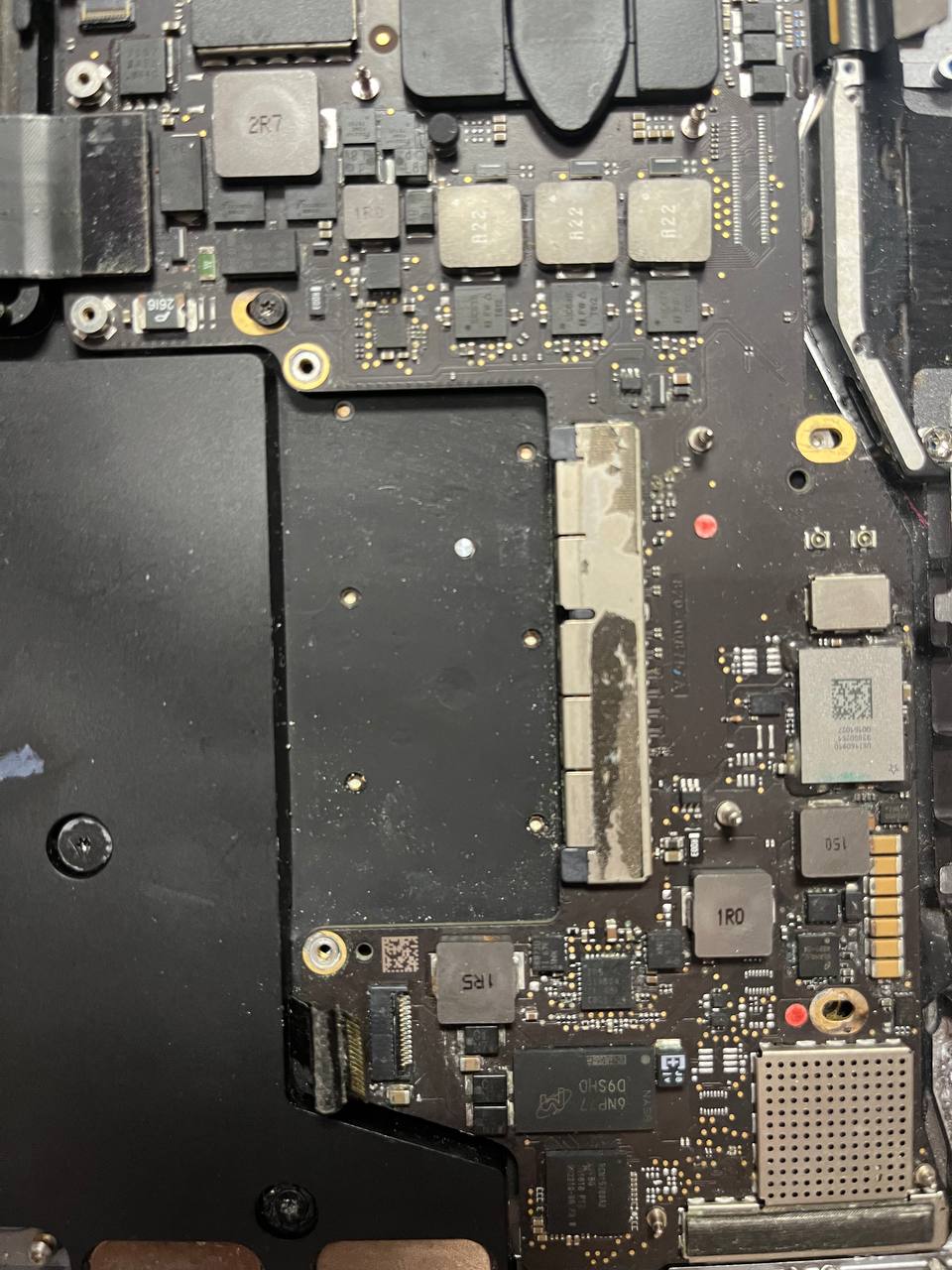
liquid damaged board

Why Do Laptops Get Damaged From Liquid Spill

Being acquainted with electronics from an early age and through studies of science in high school. It is difficult for me to grasp how most people can not understand that electronics and (most) fluids don’t really mix well.

Most don’t people don’t know that. They think if they can bathe in water, their phone or computer can too. Unfortunately, that’s not the case. At least in most cases.

There is a reason why plugs you stick into electrical outlets have two prongs. There is a reason why a car battery has two terminals. There is a reason why AAA batteries you put in your remote have a plus and a minus on opposite sides.

The simplest explanation is- they are separated because they are not supposed to be touching. Cause if they do, there will be sparks flying, something will be burning and things will be melting! And most liquids are great conduits of electricity. They make those opposing terminals “touch each other”, thus creating a connection between two components where there isn’t supposed to be a connection.

When water is spilled on a MacBook, water seeps through all cracks wherever it can. And often time it hits little chips on the logic board that are separate for a reason. But when water hits them, they “touch” via fluid, and electricity starts to go where it is not supposed to be going. That causes something to burn. Once that happens, something on the MacBook will go out. And many times MacBook won’t even turn on.

Learn more on water conductivity here

What To Do If You Spilled Fluids On Your Macbook

Put MacBook Pro Into A Bag Of Rice

This solution is actually something YOU NEED NOT DO!!!!! when you spill water, coffee, tea, soda, or any other fluid on your Macbook Pro. However, that’s what most internet repair gurus recommend and most take this advice without doing any research and end up doing absolutely nothing to fix the MacBook. Actually making it worse. Not because of the rice. But keeping it in rice for a day doesn’t really do anything to dry the MacBook on the inside. You would literally have to hold it in rice for 2 weeks, but then again, you can just keep it on the counter for 2 weeks and it will dry out at the same speed as when you put it into a bag of rice!

So they take the water-damaged MacBook Pro from the bag of rice and try to turn it on. That is when the damage happens because the fluids haven’t dried out completely and something burns out. Do not put your MacBook into a bag of rice. It always makes me laugh and shake my head when I see rice inside of the computer… Just don’t do it! It’s silly!

2. The best thing to do when you spill water or fluids on your MacBook Pro

The first and best thing that you want to do when you spill water onto your MacBook pro is to TURN IT OFF (JUST HOLD THE POWER BUTTON FOR 10 SECONDS)

And then DISCONNECT IT FROM ALL AND ANY POWER SOURCE!!! Unplug the charger if the charger is connected and disconnect the battery!

The first one is easy. Unplug from the charger. But the second one (thanks to Apple) is not!

In order to disconnect the battery, you have to open the bottom lid of the MacBook pro! That is not a simple matter. Because you need a special pentalobe screwdriver tool to take the screws out. And there is a little bit of skill required to take the bottom cover off.

If you can manage it disconnect the internal MacBook battery fast enough after the spill. You can be almost certain you have saved your MacBook pro from damage.

After the battery is disconnected you have to let the fluids dry and in most cases, you have to clean them off the logic board. This takes us to the next best thing you can do to save your MacBook.

3. Bring Your Water Damaged Macbook To A Mac Repair Shop

If you have no experience with computers. Then this is really your best option if you want to save your MacBook Pro from being more damaged.

After you have spilled some coffee or tea on your laptop. Turn it off immediately. Hold the power button down for 5 seconds until it shuts off. Then take it to a mac repair shop as soon as possible. So a mac repair tech can open it, disconnect the battery, take the logic board out, clean it off, dry it out, and put it back into the MacBook.

This is the best-case scenario. The faster you do it, the better the chance of saving your MacBook pro.

We are the most qualified MacBook water damage computer repair shop in Thousand Oaks

What Not To Do If You Spill Water On Your Macbook Pro

Most people spill some kind of fluid on their MacBook and then they wait a little bit, flip it upside down, wipe it off with a towel, or whatever else they do… Then they try to turn it on 5 minutes later.

And that’s when the MacBook starts for a little bit. The electricity enters the logic board and reaches the place where the fluid is. Then bridges a connection where there isn’t supposed to be a connection and the MacBook shuts off.

Don’t be that person. Keep your MacBook pro away from fluids! But if it happens, turn it off immediately and take it to the mac repair shop. It’s cheaper to do it the right way than repair it after something has burned inside the MacBook.

For any MacBook water damage-related questions call us at 805-585-5535 or visit us at Fastest Mac Repair and Pc Repair 3339 Kimber Dr. STE D, Newbury Park, CA 91320
fastest mac repair and pc repair newbury park

MacBook Screen Flex Cable Issue – Flexgate (Fixed)

MacBook Screen Repair is a very often job we do at Fastest Mac Repair and PC Repair. The reason it is common is that many people drop from the bed, step onto, punch, or run over their MacBooks with a car! Yeah, that happens too! These MacBook damage incidents, in a way, are normal. People have always broken MacBooks by accident! It is nothing new. Today, however, we did a MacBook pro screen repair for another reason that needs to be mentioned here, in case you don’t know about it yet!

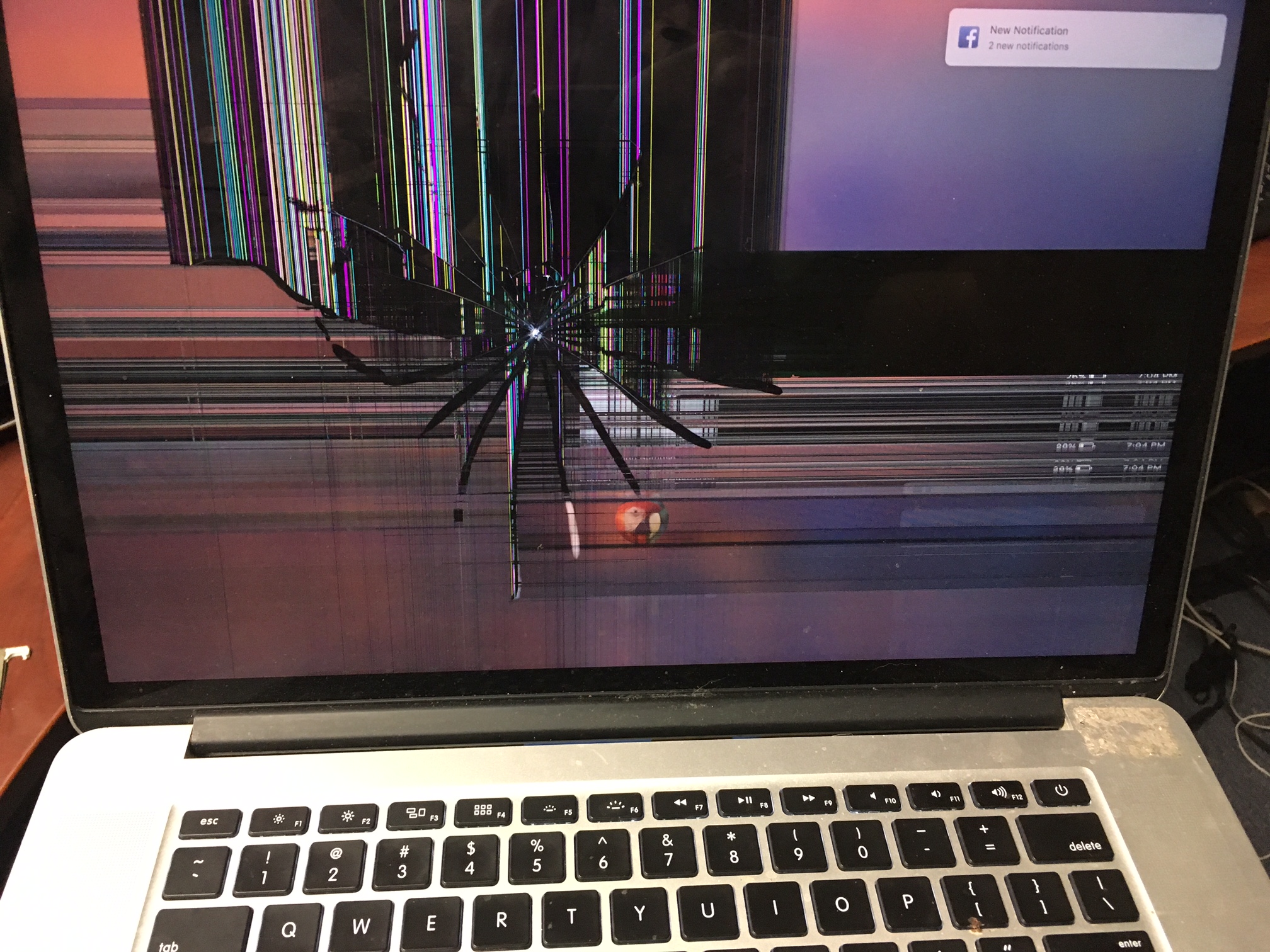
The reason this 2020 Macbook pro came in for repair, was the screen had lines on it and it was flickering. Many people get confused when it happens. They think this is a 2-year-old MacBook pro, why would the screen go bad like this? They try connecting the MacBook pro to the external monitor via HDMI and try other things suggested on the internet, but nothing works. The MacBook Pro screen either flickers or shows black lines across the bottom or doesn’t show anything at all unless you close a bit or keep it open at a certain angle.

This (famous) MacBook pro screen issue is called FlexGate. (“Flexgate” like “Batterygate” are sarcastic terms to describe the issues, because of how Apple responded and handled them). The screen problem itself happens because of the faulty screen flex cable (hence the “flexgate”). A paper-thin type of cable that Apple introduced to their screens since their 2015 MacBook pros and use flex cables for MacBook screens to this day. The biggest problem with the flex cables is that they are made out of paperlike material, which tends to wear out a lot quicker, especially if you open and close them more often than usual. Plus perhaps some of the first flex cables weren’t even made from the best materials, to begin with.

2016 and 2017 MacBook pro models like A1706, A1708, and A1707 had the most Flex cable failures. They were failing so much that people turned it into a class action lawsuit against Apple in 2020. Because Apple didn’t want to honor screen replacement when people started bringing them back when they experienced this issue. With every customer, Apple tried to weasel its way out of it and would only replace screens for people who were really adamant with their demands. The more timid customers would just turn around, leave or pay the full price to replace the MacBook screen replacement. It all went on for a while when these most problematic MacBook pros became older and then Apple was able to say that they are too old and normal wear and tear was expected for these flex cables.

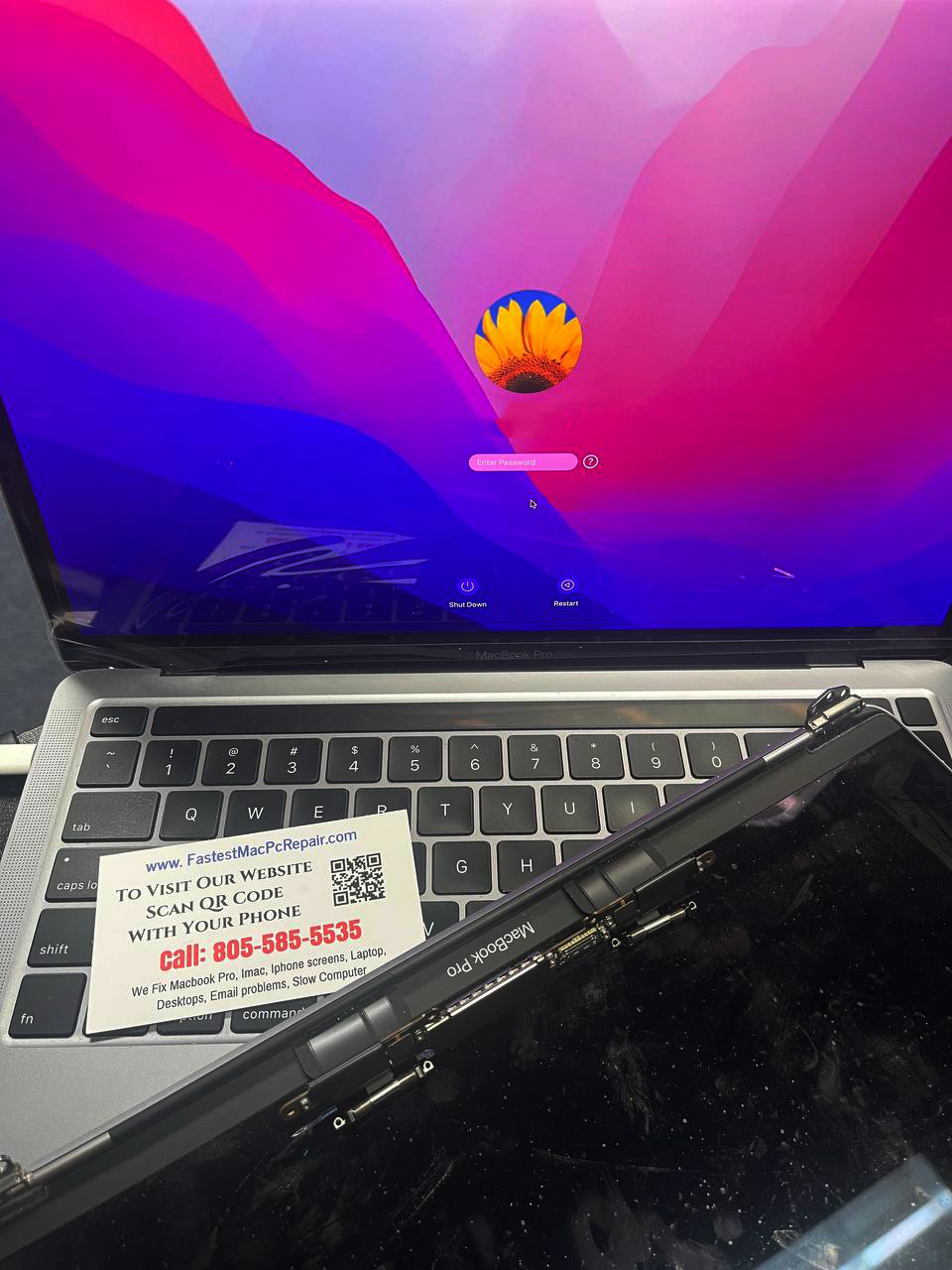
macbook pro retina screen repair

All this time Apple denied its responsibility to reimburse customers for bad screen cable design. And how can you blame them? It would have cost them millions. I’m sure that would have made Apple shareholders unhappy. So they just threw their customers under the bus and had them bear the consequences. By the way, there was a second class action lawsuit over flex cables filed against Apple, but just like the first one in 2020, this one was thrown out by the judge and that was the end of it!

Then in 2018 Apple “got caught” making the 2018 MacBook pro screen flex cable a little longer. Which for some people meant that they admitted their (probably accidental) wrongdoing with the short and fragile flex cables on their previous models of MacBook pros. Making the cables longer and improving their quality made the issue go away partially, but not completely. MacBook Pro screen flex cables still go bad and it happens pretty often.

It is not uncommon for them to fail after around 2 years. Some manage to last longer. It probably depends on how often and how many times you open and close the lid on your Macbook Pro.

Either way, if your MacBook Pro has screen issues related to the flex gate cable, we can help. MacBook screen replacement is a pretty quick repair. It takes about an hour (usually less) if we have the screen available in stock for your particular MacBook. We try to have them in stock, but sometimes we have to go pick them up from our suppliers. Which also can be done the same or the next day at the latest.

If you are not sure if you have a “Flexgate” issue on your MacBook, call us at 805-585-5535 and we will help you diagnose it! Or stop by at 3339 Kimber Dr. STE D, Newbury Park, CA 91320 – The fastest mac repair in the Thousand Oaks area!
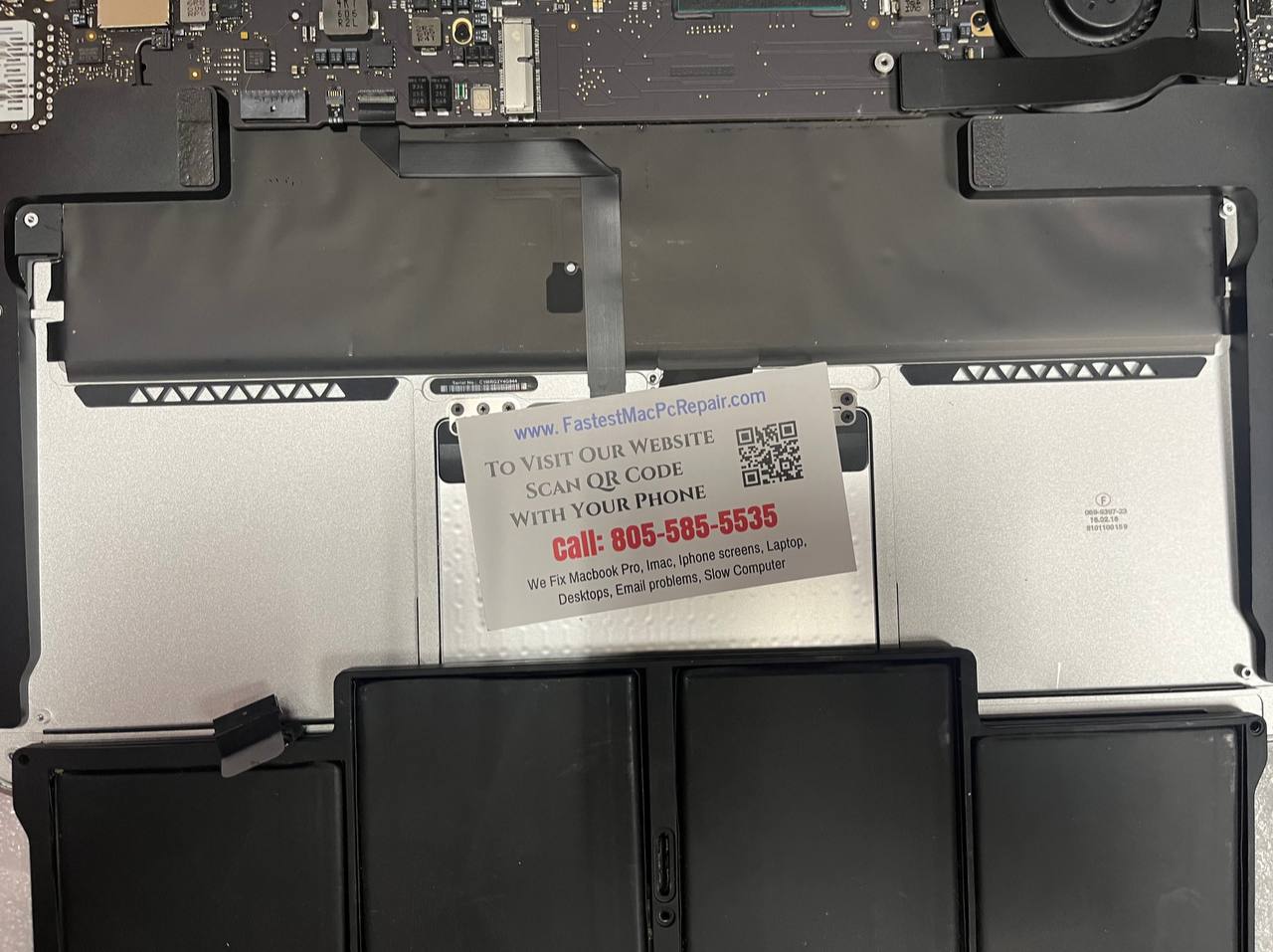
Mac Battery Replacement – Fast Service In Town

One of the more popular MacBook Repairs that we do is Mac Battery Replacement.

Batteries go bad on all devices, macs are not different. We recently had a customer, who bought a brand new mac. She wanted us to transfer the data to it from her old MacBook. After taking the new MacBook out of the box, we realized the battery was not charging on it.

The customer had to take the MacBook back to Apple. Waited for 03 weeks for them to receive the mac battery. Then wait for 2 more days for the mac battery to be replaced by Apple technicians! Talk about the speed of the largest computer company servicing their MacBooks!!!!

same day mac battery replacement

A Better Way To Replace A Mac Battery

Luckily there is another way! If your MacBook Pro doesn’t stay on very long when not plugged in. You might need a mac battery replacement done. If that is the case, you don’t really have to go to the Apple genius bar, unless you want to wait 3 weeks for your mac battery to be replaced.

Instead, find a computer service like ours and get it replaced within 30 minutes. Or you might have to wait a maximum of 2-3 days until we get a mac battery replacement shipped in and then you can bring it in, so we can replace it within 30 minutes.

We Replace Batteries On Most Mac Models

At Fastest Mac Repair And Pc Repair Newbury Park, we offer fast mac battery replacement service for most MacBook models: A1706, a1708, a1707, a1278, a1286, a1502, a1466, a1534, a1932, a2179, a2251, and others.

We have most batteries in stock, but sometimes we do run out and have to order based on the model of the MacBook.

Computer Battery Repairs On Other Laptop Brands

Besides mac battery replacement, we also replace batteries on any computer laptops on the market. We do not store those batteries in stock and most of the time they have to be ordered. But we can get them fairly quickly (3-4 days). And batter repair service usually takes about 30-40 minutes.

Our Mac repair shop is located in the Thousand Oaks area and we provide computer repair in Moorpark, Camarillo, Newbury Park, Agoura Hills, Westlake Village, Malibu, and other surrounding areas.

Call us for any mac repair questions or quotes at 805-585-3335

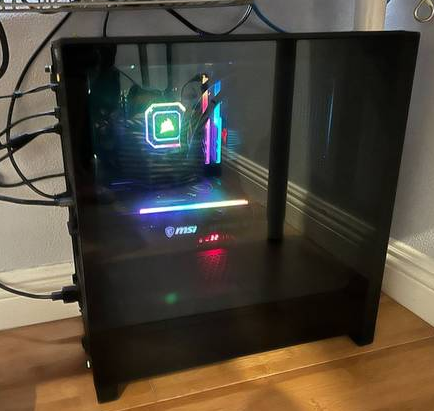
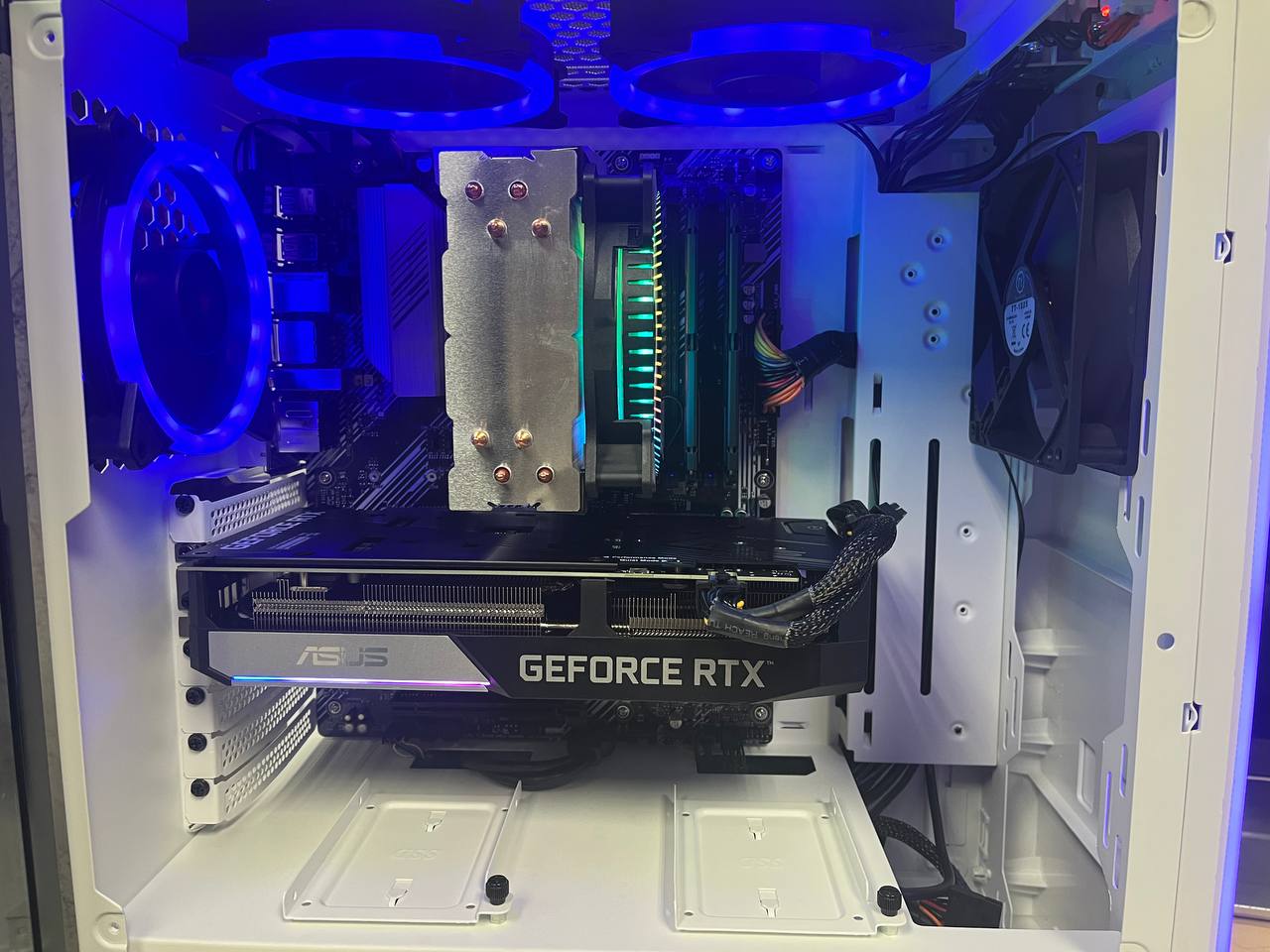
Building A Custom PC

One of the more common computer repair services we do is building a custom PC for customers.

In most cases, these are the younger people who love to play video games. They need all the power they can get from a computer, in order to be able to keep up with the latest games in the industry. Because the newer the game, the more computing power you require, not to mention having to buy an expensive graphics card. Which may run in a range of $3000 for the best one at this point in time in 2022.

But “gamers” are not the only people who build custom PCs. Many business people need them, especially day traders. They like to build a custom PC with the intent of connecting several monitors (usually at least 4) to the same computer, so they can monitor what’s going on in different markets simultaneously!

custom built pc service

Photographers build a custom PC because they also need a lot of graphics power to process their photos, as well as to be able to have a few hard drives inside of them to store thousands of photos that they all possess! A custom build PC, lets you do that because the computer cases allow for multiple hard drive storage inside without having to keep the hard drives plugged into the computer externally.

Main Differences Between The Laptop And A Custom Built PC

The main difference between a desktop PC and a laptop is of course mobility. You can take a laptop anywhere with you by just throwing it into a case and taking your charger with you. Obviously, that would be quite problematic with a custom-built or desktop PC, for obvious reasons. You would have to also bring a monitor with you. Not to mention that a desktop weighs much more than a laptop and takes up more space.

But the real difference between the laptop and the Desktop PC is durability. Laptops are not really designed to be super-powerful machines. Even though they make them that way, people want powerful laptops and to be able to be mobile with them.

Yet technically, the laptops can’t match the desktop’s performance simply because of the cooling issues. The desktops have better cooling systems because they have more room physically to install a bigger heatsink. The device that keeps the computer processor cool. They can have bigger fans to disperse the heat inside the desktop and they have larger parts in general, that can withstand more heat in a cooler environment.

Laptops are very compact (for obvious reasons), therefore cooling them becomes more difficult and that makes them more prone to failure in the long run.

So if you don’t plan to move your computer around a lot and you need more power in the computer than just to be able to check your email and browse some websites, the desktop or a custom built PC is definitely a better way to go! You will get more durability, speed, and power, and can have more storage space.

How To Build A Custom PC

If you want to build a custom PC, there are a couple of ways you can go about it.

  1. Purchase all the parts and assemble it yourself
  2. Purchase all the parts and let a pc repair shop assemble it for you
  3. Purchase an already built custom PC (there are many companies offering this service)
  4. Purchase all the parts, assemble it yourself and then call Fastest Mac Repair and Pc Repair to fix it for you if the computer is not working! (It happens a lot).

While Assembling a custom built PC is not rocket science. Many times people with no experience will connect the cables in the wrong way or will plug something in incorrectly preventing the computer from starting. Or in the worst-case scenarios will damage some components altogether.

Therefore it is highly recommended you use someone who has done it before. We offer custom PC Building service at our computer shop in Thousand Oaks and in surrounding areas.

Call us at 805-585-5535 if you have any questions regarding this.

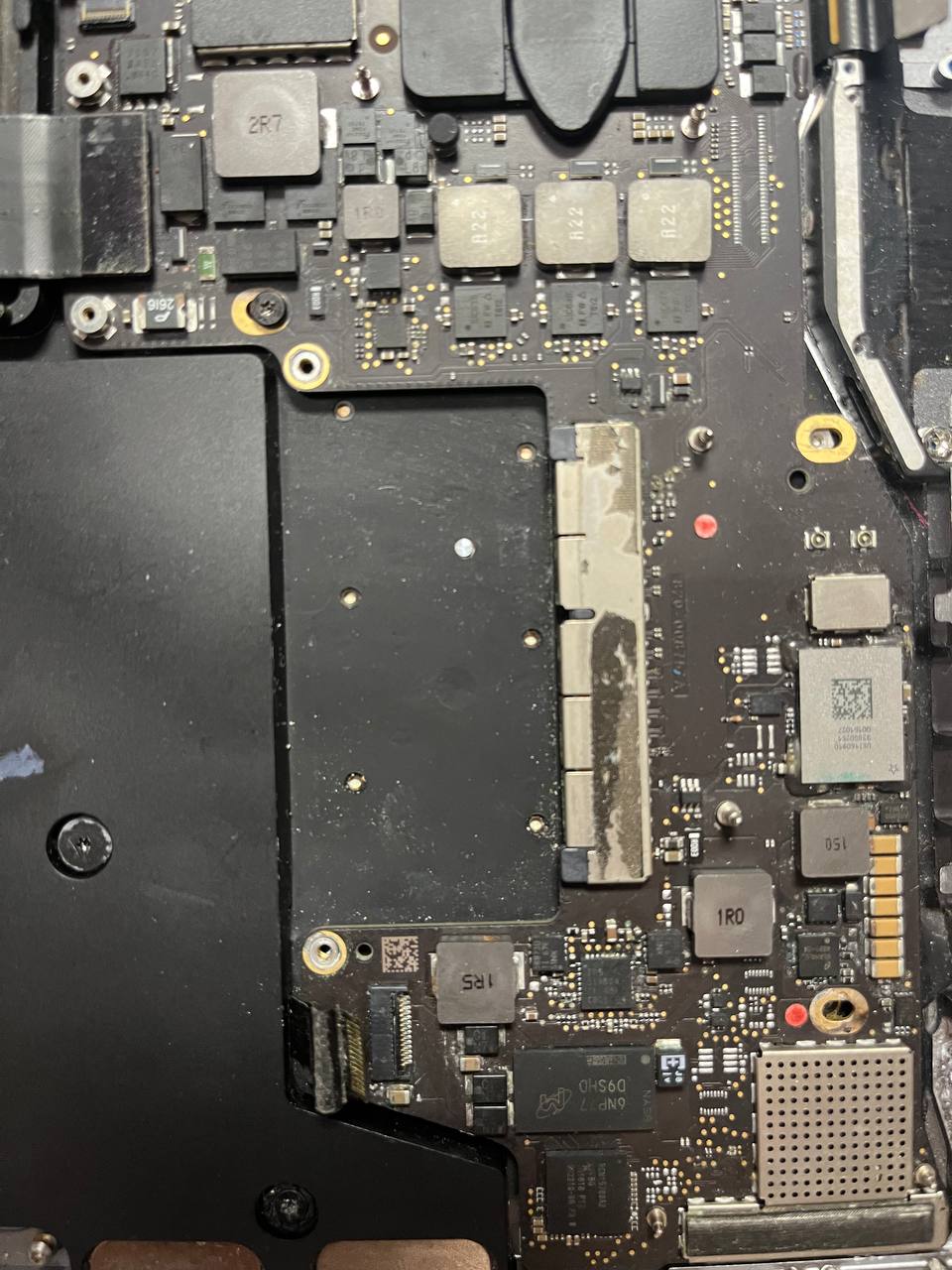
Macbook Liquid Damage Repair

Macbook liquid damage repair is very common job we do at Fastest Mac Repair And Pc Repair. People spill stuff on their Macbooks more often than you think. Usually its water inside the backpack, or coffee at Starbucks, because the lid wasn’t closed properly. Or any other kind of scenario one could imagine. I have seen most of them.

When Macbook with water damage comes in, in most situations it is usually too late to do anything about it, other than repair the logic board. Because of what most people do when they encounter such a problem.

Most people will leave the macbook sitting on a desk for couple hours and then try to turn it on. Or they would blow the macbook with the hair dryer and then try to turn it on. Or the very best one yet, they will stick it into a bag of rice for couple hours and then try to turn it on.

macbook liquid damage repair

Why Putting Your Macbook Into Rice After Liquid Damage Doesn’t Work

It always makes me chuckle and roll my eyes when people come and they proudly say that they have put their water damage macbook into rice. It is literally the silliest thing you can do when water is spilled on your macbook.

It shows naivete and gullibility thinking that the internet has answers to all your questions. It doesn’t. In fact in over 15 years I’ve been fixing laptops, I have probably gone onto the “Internets” only a couple of times to see how to open some specific device, because some are really difficult to open without ripping off a cable.

But in general people on the internet just make videos for clicks. Not necessarily because they actually know how to solve certain issues. And putting your computer in rice is one of them.

The reason putting your Macbook in rice doesn’t work, when you spill liquid all over it, is that you can’t keep it in rice long enough for it to absorb the moisture from inside the laptop. Rice may be moisture absorbent on a microscopic level, however that is not enough to extract the fluids from inside the Macbook.

If there is a puddle of water inside, it would take you at least 1 week of keeping the Macbook in rice to actually evaporate that water. And most of it would evaporate because of the air, not because of the rice.

What To Do When You Spill Water On Your Macbook

Instead try to find a screw driver and take the bottom lid of the Macbook and the fluids will evaporate out of it in less than 1 hour. Instead of keeping it in rice with a lid on.

And if you can not find a screwdriver, hurry to the nearest mac repair shop in Thousand Oaks and ask them them to open it for you and disconnect the battery as soon as possible.

The reason you want to disconnect the battery ASAP when you have liquid damage is because of basic physics. Water or liquids are conduits. It creates pathways in places where there not supposed to be any pathways for electricity to travel.

Battery or plugging Macbook into an electric outlet is what causes them to burn. Before you plug it in, or press power button it first has to be dried out COMPLETELY. Keeping it in a bag of rice won’t do it!

It has to be opened, the logic board has to be extracted, inspected and dried out on both sides. Only then you can plug it in or connect it to the battery and try to turn it on.

Liquid Damage Macbook Repair

Unfortunately, most Macbooks that we receive have been already burned. Because no one knows what to do when they spill water on it. And they also have no patients to wait for the Macbook to actually dry out (Which would take about 4-5 days probably if you don’t take the lid off). People plug them back into power to early and they end up burning components on the board. From there 95% of the Macbooks are usually still fixable. But now it gets more difficult to do so.

So if you spill water on your macbook don’t wait, turn it off right away (hold the power button down). Then open it and disconnect the battery. If you do those things, it will be ok. If not, then no one knows what happens.

Cheers!